MAX in Bitrix24 CRM, Umnico widget

MAX Integration with Bitrix24

Seamlessly and reliably connect the national messenger MAX to Bitrix24 CRM for efficient client management and sales operations.

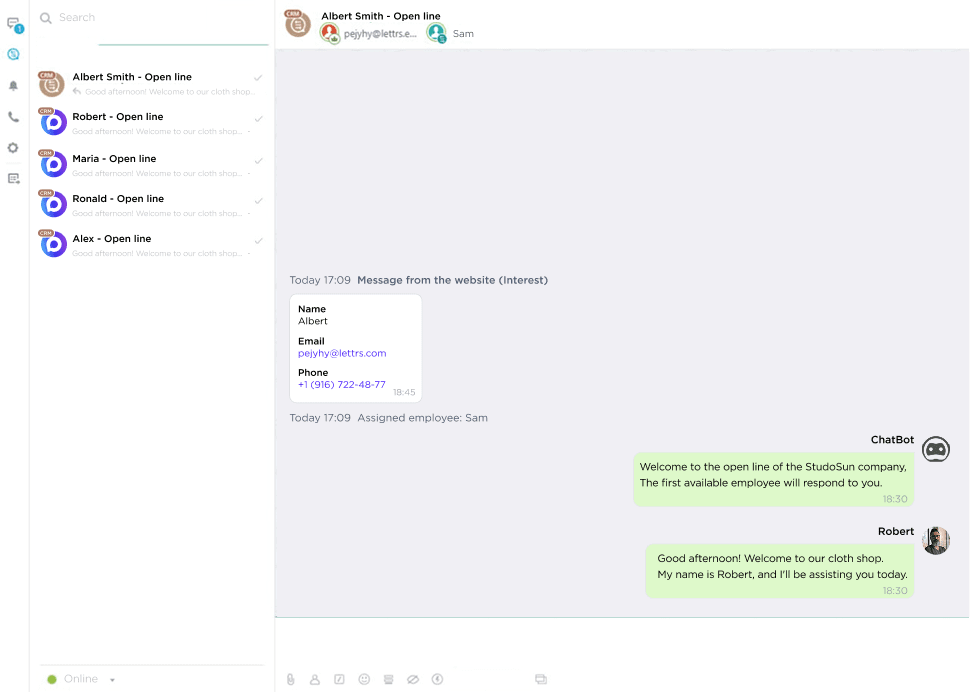
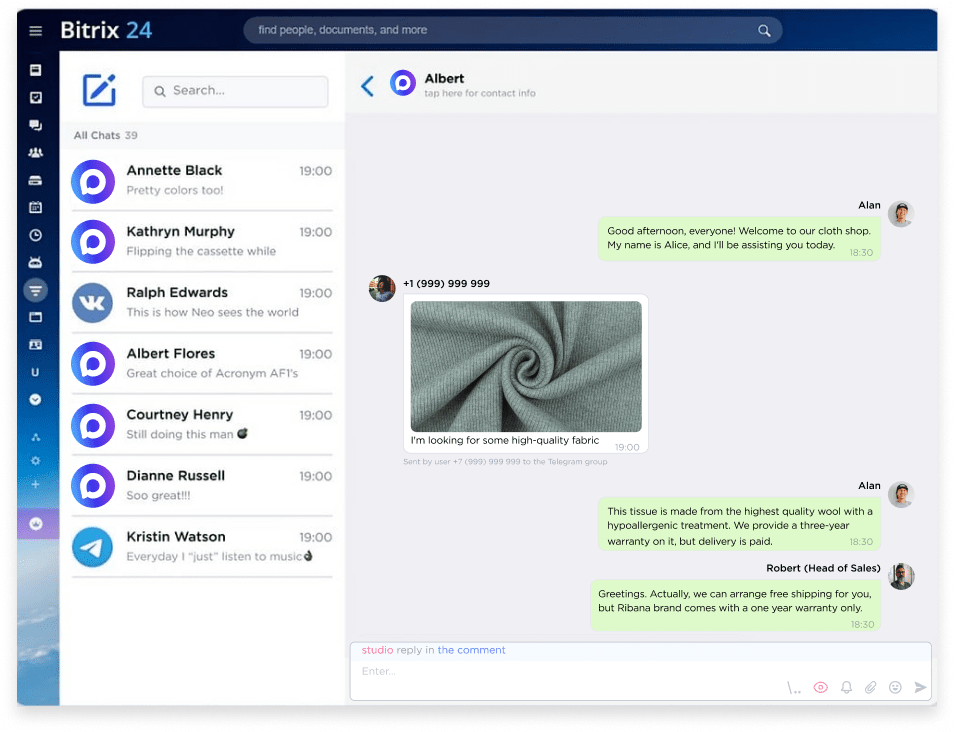
Communicate with clients directly in Bitrix24 using your MAX number. Client profiles and deals are created automatically with every new inquiry, and all conversation history is stored in the CRM, not just on mobile devices.

Multiple accounts
Connect multiple numbers
Communicate simultaneously through multiple MAX accounts. Initiate conversations using your chosen messenger number
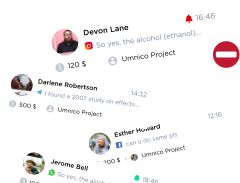
Inquiry list
Automate campaigns
Send notifications to clients via MAX automatically based on triggers or manually to selected contact lists
Bulk messaging
Distribute requests among your team
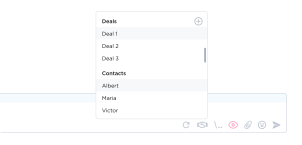
Assign separate MAX numbers to individual specialists and manage employee access to chats with key clients
SBER
kia
invitro
dhl
raif

Why do you need Bitrix24 and MAX integration?

MAX integration with Bitrix24 CRM combines the convenience of a well-organized sales system with the capabilities of a modern national messenger. Through the MAX–Umnico–Bitrix24 connection, your MAX channel links to Open Lines: all messages from the messenger automatically enter the CRM, are recorded in client profiles, and are never lost on employee devices. Conversation history, files, and agreements are stored in a unified workspace, always accessible to both staff and management.


With this integration, you can manage incoming inquiries from the messenger: automatically assign inquiries to employees, monitor response speed and quality, and track the stage of each conversation in the sales funnel.

What tasks does MAX Integration with CRM solve?

Check mark
Access to all client conversations
Is all communication with clients still kept only on phones? Store all contacts and chats in your CRM to control communications and manage your team’s work
Check mark
Client profile always at hand
Need client data when you need it most? Create a complete profile—including conversation history, orders, and preferences—directly in the Bitrix24 deal card
Check mark
Increase conversion from inquiry to deal
Many inquiries but few sales? Automate MAX conversations to speed up responses and increase qualified leads
Check mark
Minimize missed calls
Clients not answering calls or ignoring emails? Use MAX to send news and offers—messages are read far more often in messengers than via email or SMS
Check mark
Save time on routine processes
Employees spending too much time on repetitive tasks? Free up resources by automating key workflows and handling scenarios in the CRM
Check mark
Personalize communication
Clients feeling misunderstood? Aggregate all client information in the CRM, analyze data, and build tailored communications

Let’s find out how Umnico can improve your business performance

quiz blue line

What kind of business do you do?

1   /6

question

Key features of MAX integration with Bitrix24 via Umnico

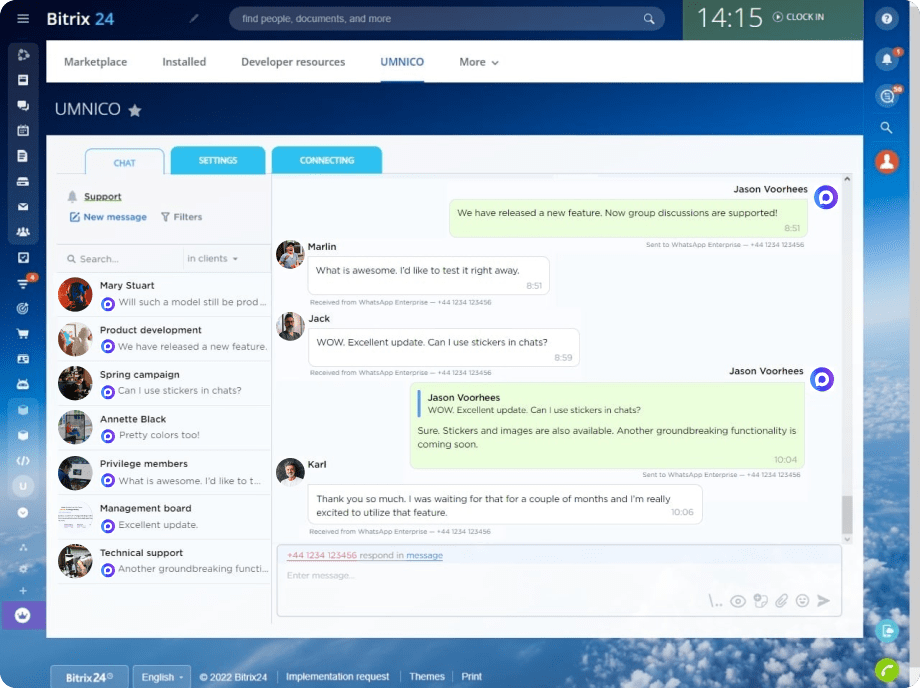
Integration through Umnico allows employees to communicate with clients in MAX directly from Bitrix24 without switching between devices or apps. All conversations are consolidated in one Umnico chat center window, enabling quick replies, request processing, and automation setup. Managing large volumes of dialogues becomes simpler, faster, and fully controlled.

Reach out to your client first via MAX in Bitrix24 CRM

Start conversations in MAX directly by phone number

With MAX integration via Umnico, you can initiate dialogues directly from the deal card or chat center widget—no need to save numbers in contacts. If the client doesn’t have a MAX account, the system automatically offers an alternative channel, such as WhatsApp or Telegram.

Use the full functionality of MAX for effective communication: send messages and files, run bulk notifications, and launch campaigns without speed or volume limits. Integration makes conversations faster, more convenient, and fully manageable within the CRM.

Text, images, audio and files sharing with MAX and Bitrix24 CRM

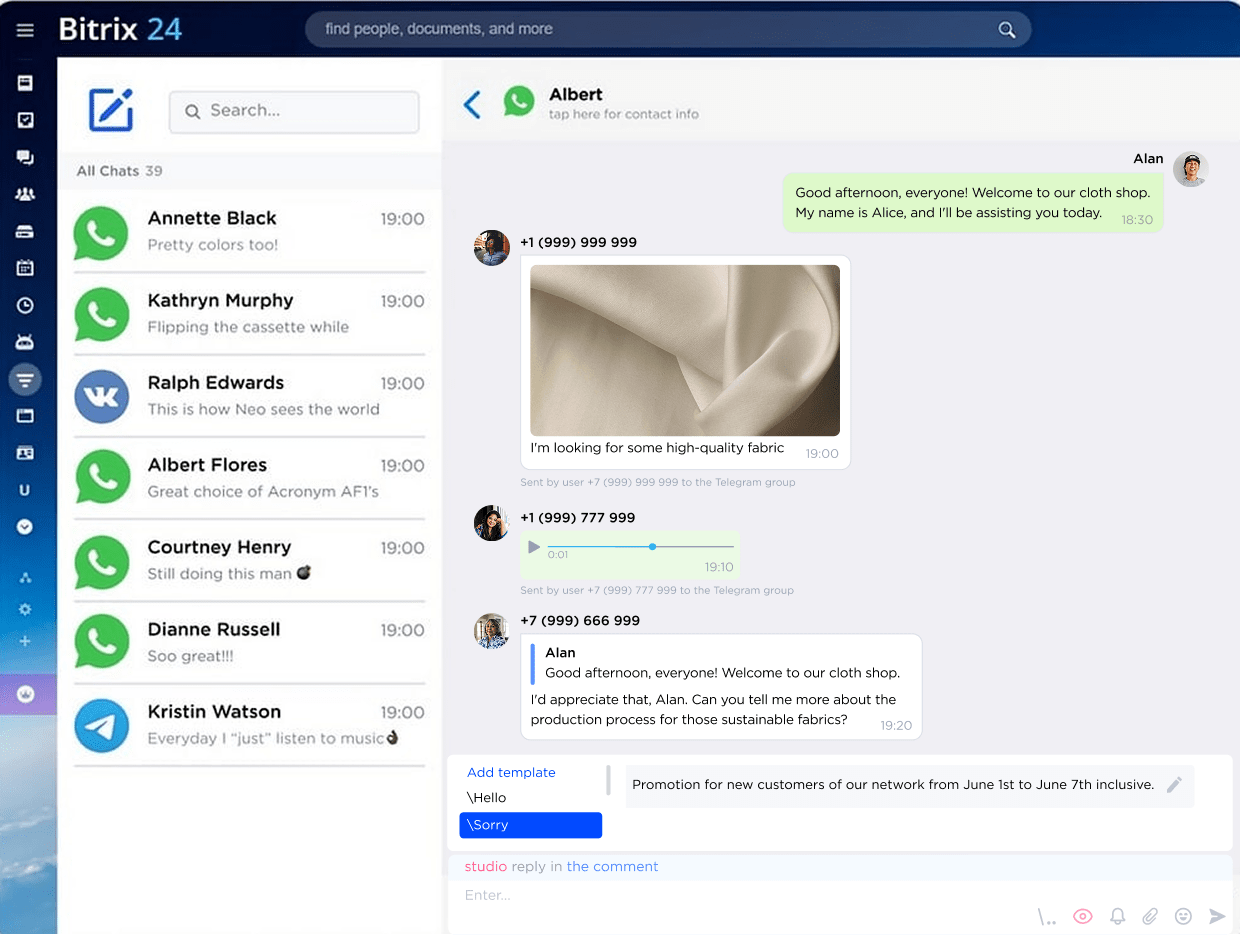
Handle all inquiries in a single chat center widget

All client inquiries from MAX—even from multiple numbers—are automatically consolidated in the Umnico chat center interface. No need to switch windows, keep phones handy, or open separate apps. Full communication is available directly in the CRM.

Use quick search for messages and contacts, set up convenient filters, attach any files without size limits. Send multiple photos, videos, or audio files—create rich, informative conversations that help you sell more efficiently.

Conduct bulk messaging acros your database segments via MAX mesenger

Launch MAX campaigns directly from Bitrix24

Once integrated, you can quickly create bulk campaigns with service or informational messages for relevant deals in the CRM. Messages sent through national messengers are read more often than emails or SMS, increasing the chances they will be seen. Automated MAX notifications also remind clients about payments, bookings, visits, or other events on time.

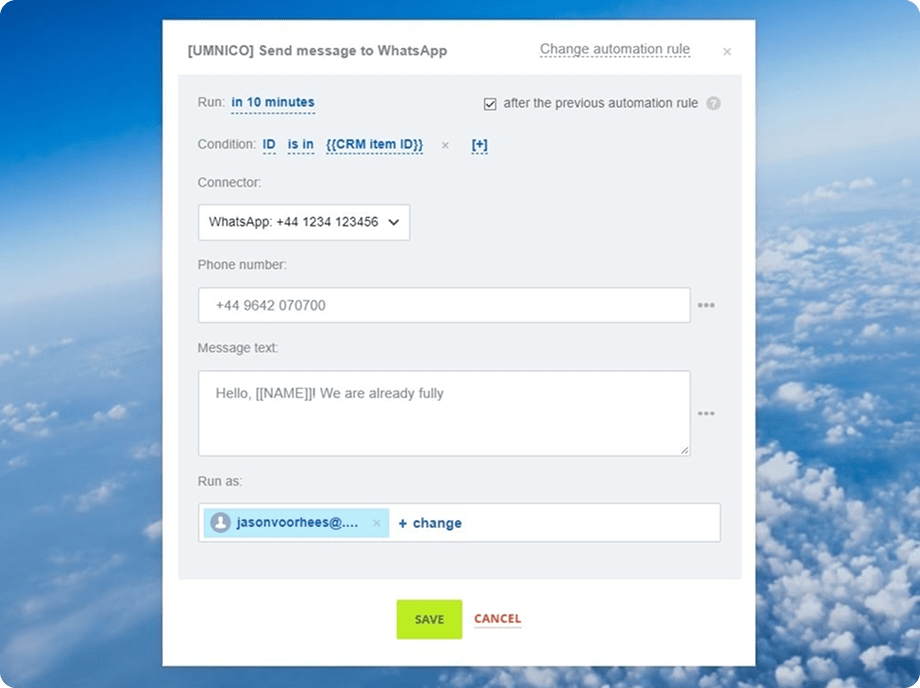
Leverage Bitrix24 Business Processes and Robots to send messages automatically based on deal stage changes or specific triggers. No manual tracking is required—the system ensures delivery and provides read receipts.

WhatsApp logo

Turn MAX into a powerful sales and support tool

Connect the messenger to Bitrix24 CRM in minutes, no developers or complex instructions required

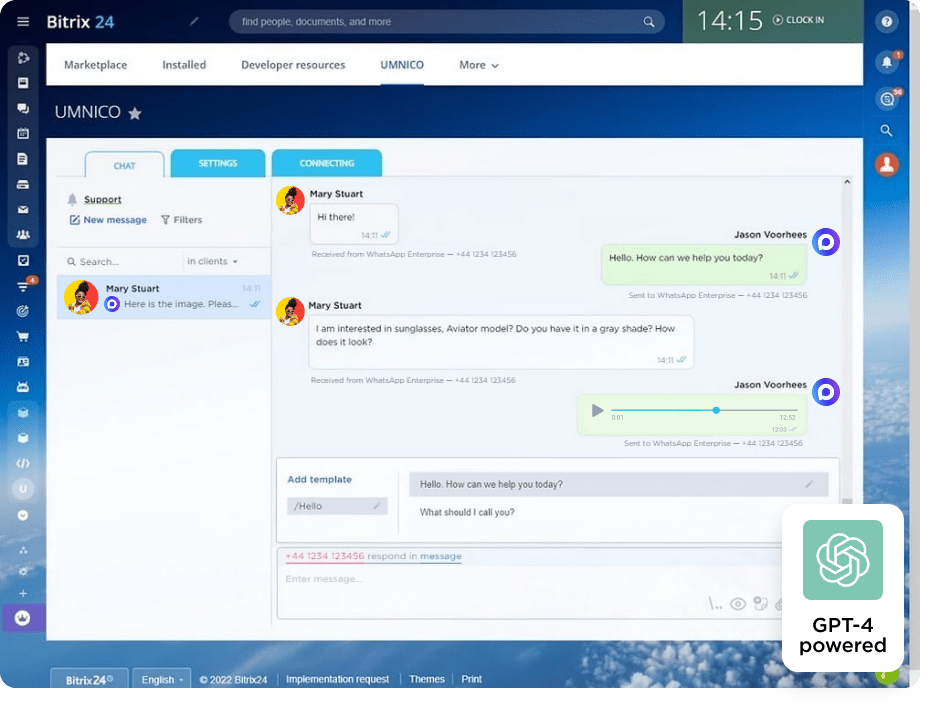
Chatting automation empowered by GPT-4 chatbot

Automate client correspondence in CRM

Simplify and speed up lead processing, freeing your specialists for critical tasks. Set up message templates, auto-replies for FAQs, and notifications for out-of-office inquiries. Create reminders based on time or actions to never miss a task. Automatically assign incoming requests to employees according to rules and workflows.

MAX integration with Bitrix24 via Umnico supports all Business Process and Robot tools, enabling flexible automation of almost any stage of client interaction—from first message to deal closure.

Employees chat supervision in Bitrix24

Monitor employee conversations with clients

Connect multiple MAX accounts to Umnico and gain full visibility of all client dialogues. Track service quality, response speed, and message status—whether delivered and read.

Managers see employee interactions, and staff know communications are monitored. All chats are saved in Bitrix24 CRM, and departing employees cannot take client histories with them.

MAX chat with clients in Bitrix24 mobile app

Communicate in MAX via the Bitrix24 mobile app

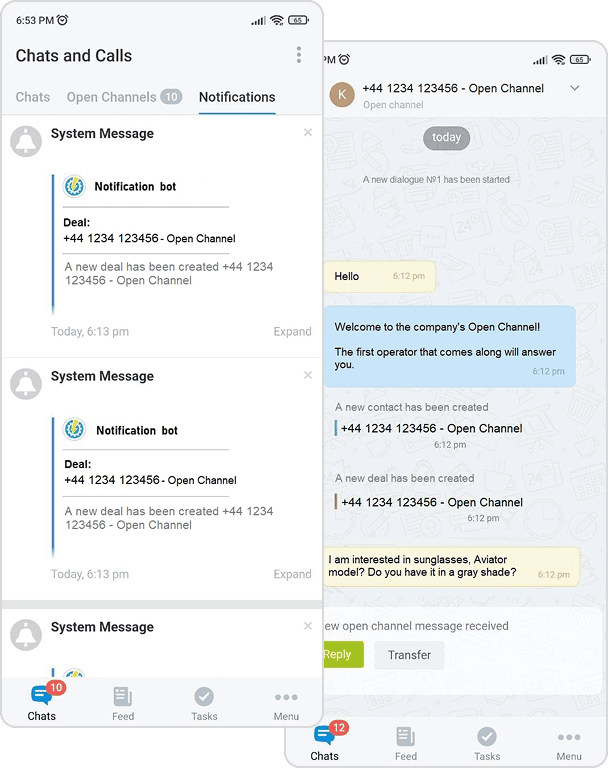
Reply to clients in MAX directly from Bitrix24 mobile app—messages are automatically saved in CRM and accessible on desktop. Continue conversations anytime without losing context.

The Umnico mobile app mirrors MAX functionality and supports other channels—WhatsApp, VK, Telegram, and website online chat—allowing seamless communication from any location.

Additional MAX features in Bitrix24 to grow your business

Blacklists and message filters
Filters and block lists
Message forwarding between messengers
Message forwarding
Delivery and read status
Delivery statuses
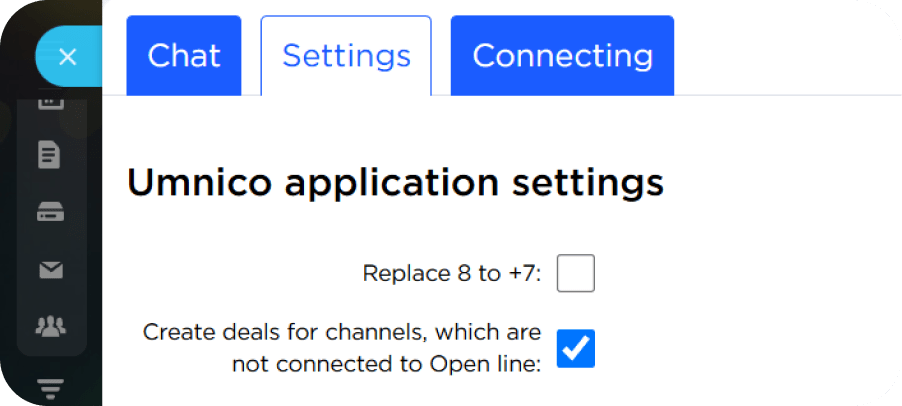
Open Lines synchronization
Umnico app settings
Switch between chat and deal
Deal to chat switching
Quick message search
Quick search
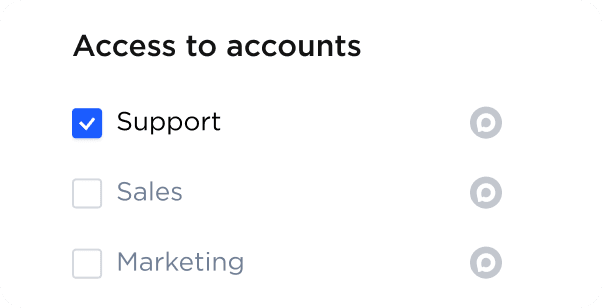
Chat access restrictions
Access to accounts

Why is it better for business to integrate MAX with Bitrix24 than to use the MAX app on a smartphone?

Connecting MAX to Bitrix24 is significantly safer than working through the mobile app, primarily due to full control over communications and data security. All conversations are logged in the CRM rather than stored on employees’ personal phones, eliminating the risk of losing communication history or clients leaving together with the employee assigned to them. Unlike a phone, where chats are inaccessible for oversight, the integration ensures process transparency, information protection, and workflow stability, making it a more reliable and effective solution for business. In addition, the integration allows you to work through a single Bitrix24 window or the Umnico chat center without switching between devices and applications, as well as enable automation: auto-replies, lead distribution, reminders, and other processes that cannot be fully implemented in the MAX mobile app.

MAX appMAX in CRM
Monitor response quality and communication control-+
Teamwork through shared MAX number-+
Flexible chat access management-+
Collect and store client information-+
Automated communication-+
Automatic notifications and service mailings-+
Sort inquiries by status and tags-+
Response templates and hotkeys-+

MAX & Bitrix24 Integration Pricing

Pricing for connecting MAX via the Umnico widget depends on the number of messenger accounts and subscription period.
Starting from $7 a month
Test Umnico for free during the trial or select the best plan now.
All-in-one messenger widget with custom rates

Other Useful Messenger Integrations with Bitrix24

Bitrix24 allows extensive sales process customization and client interaction. Umnico connects multiple popular channels to the CRM, enabling communication where clients are most comfortable.

Advanced WhatsApp functionality directly in CRM for effective work with an international audience of clients
Integration of Telegram Personal and Telegram Bot with Bitrix24 to maximize client communication capabilities
VKontakte messenger for Bitrix24, for working with messages and comments on your page on the Russian social media
Correspondence and work on queries from the popular marketplace inside Bitrix24 with the function of previewing ads

Frequently Asked Questions about MAX Integration with Bitrix24

Our users are usually interested in the following questions about MAX's work in Bitrix24:
How do I send the first message to a client via MAX in Bitrix24?
You can start a conversation with a new client in MAX directly from the Umnico chat center. Open the widget, click ‘New message’, select the MAX channel, enter the phone number, type your text, and click ‘Send’. You can also send the first message from a deal or contact card. To do this, select ‘SMS/MAX’, choose the Umnico service, write your message, and confirm sending. That’s it — the message will be delivered to the client in MAX. As soon as they reply, the conversation will automatically appear in the Open Lines chat, where you can continue communicating as usual.
Is there a delay in sending messages via MAX?
No significant delay—messages are sent in 1–3 seconds, similar to any messenger user.
Can I connect multiple MAX numbers to one CRM?
Yes, you can connect multiple numbers and agents, with adjustable access levels.
Can I send bulk campaigns via MAX?
Yes, the MAX integration with Bitrix24 through Umnico allows you to send bulk messages for active deals directly from the CRM. This tool is convenient for notifications and service messages; however, it should be used carefully to avoid potential restrictions or blocks from the messenger.
Is this an official MAX integration with Bitrix24?
Yes, our CRM chat application is official and available on the Bitrix24 marketplace. To connect MAX, we use Umnico’s proprietary technologies, as well as all current and approved integration methods, ensuring stable and proper operation of the messenger in conjunction with the CRM.
How is message security ensured?
All conversations are stored in Bitrix24 CRM, and chat access permissions ensure confidentiality and data control.
Are there message limits?
No — unlimited messaging is supported, allowing full use of MAX.
Experience MAX in Bitrix24 – Create a Umnico Account and Start Today

Experience MAX in Bitrix24 – Create a Umnico Account and Start Today

Sign Up