How to Use MAX for Business Effectively
Exploring the messenger's capabilities for SMBs.
Modern companies need fast and reliable communication tools. They also need to closely monitor trends in communication across their target markets. In Russia, the national messenger MAX is the fastest-growing communication app. With an audience of more than 100 million users, using MAX for business communication becomes increasingly important for customer-oriented brands in highly competitive industries.
In this article, we’ll review the capabilities of MAX for business and how brands can leverage them to increase customer loyalty, conversion rates, and sales.
What is MAX Business
MAX Business refers to the messaging app's features designed to enhance business communication with MAX, providing tools like chatbots, mini-apps, and Digital ID.The platform's features include chatbots, mini-apps, Digital ID, and others. Together, they can improve various stages of the customer journey, from product discovery to post-purchase support, all within the MAX messenger. While these features are currently available only to select legal entities, broader rollout is expected soon, making MAX business communication accessible to more organizations.
Key features of MAX Business
Just like WhatsApp, Telegram and other major messaging apps, MAX offers more than simply one-on-one chats.
Chatbots
MAX automation through chatbots can handle customer support around the clock, answer frequently asked questions, and help users track orders automatically. Companies with a verified organization profile can create up to five chatbots per organization. A bot can be created either using built-in template constructors or the MAX Bot API for fully custom solutions. Once deployed, bots can handle customer support around the clock, answer frequently asked questions, help users track orders and schedule appointments.
MAX chatbots support rich media, including images, videos, and documents, making them ideal for sharing product catalogs, sending invoices, or processing document submissions. Interactive buttons and menus embedded within conversations allow customers to interact with them in just one tap.
Mini apps
MAX mini apps allow businesses to deliver a full-featured web app experience directly within the messenger interface, without redirecting to external websites. A mini app is essentially a web-based service linked to an existing chatbot, which serves as the gateway for launching and managing it.
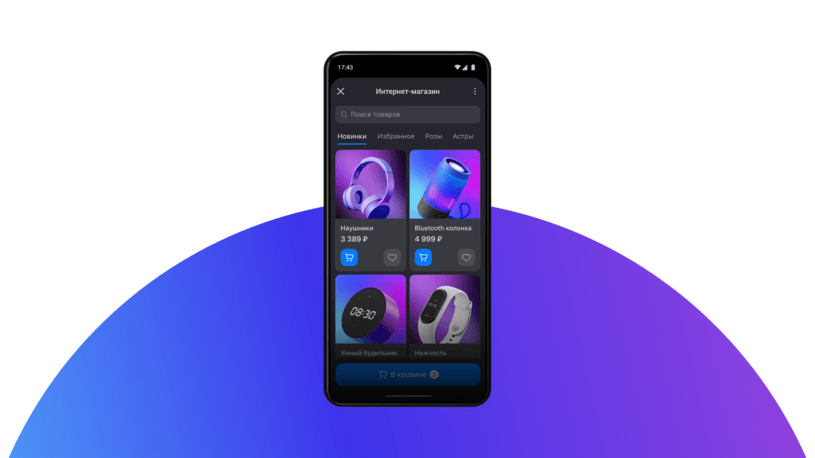
Mini apps open up a wide range of possibilities for businesses: think interactive storefronts, booking systems, loyalty programs, payment portals, customer dashboards, or games. Users simply tap a button within the bot conversation to launch the mini app, keeping them engaged within the MAX ecosystem, where communication, commerce, and services converge in one place.
Channels
For companies, MAX channels can serve as a dedicated space to share updates, distribute content, and connect directly with their audience, offering both public and private options to suit specific communication needs. Public channels are useful for broadcasting brand news, official announcements, and promotions, allowing anyone to find and follow your content, while verified organizations can even create custom-named channels to maintain brand consistency.
Channel owners can easily update branding elements like names and descriptions, assign admins, and transfer ownership as team structures evolve. They can expand their channel’s audience on MAX via various methods, including direct invitations, shareable links, and QR codes. This allows effective use of the platform for various purposes, including marketing, customer loyalty, and internal coordination.
Digital ID
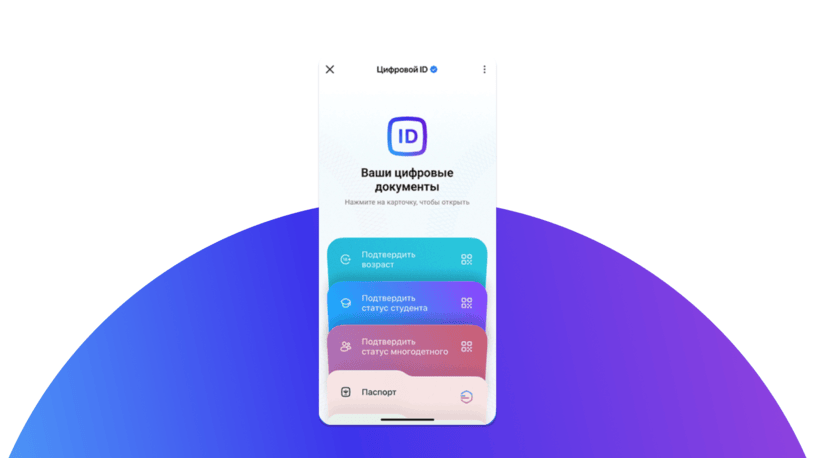
MAX Digital ID is a verified user profile feature that enables instant age and identity verification through a dynamic QR code. Companies can use this feature to streamline transactions involving age-restricted products, simplify identity checks, and reduce fraud risks. Combined with MAX automation features like chatbots and mini apps, businesses can create seamless customer journeys, from identity confirmation to purchase completion.
How to start using MAX Business
Expanding a presence on the MAX platform for companies allows organizations to create a highly trusted digital communication channel with customers. Currently, access to MAX is exclusively available to officially registered legal entities and individual entrepreneurs registered in the Russian Federation. While this means freelancers and self-employed individuals cannot currently create business profiles, it ensures a spam-free environment. Here is a step-by-step guide to using MAX for business.
Step 1. Register and verify your business
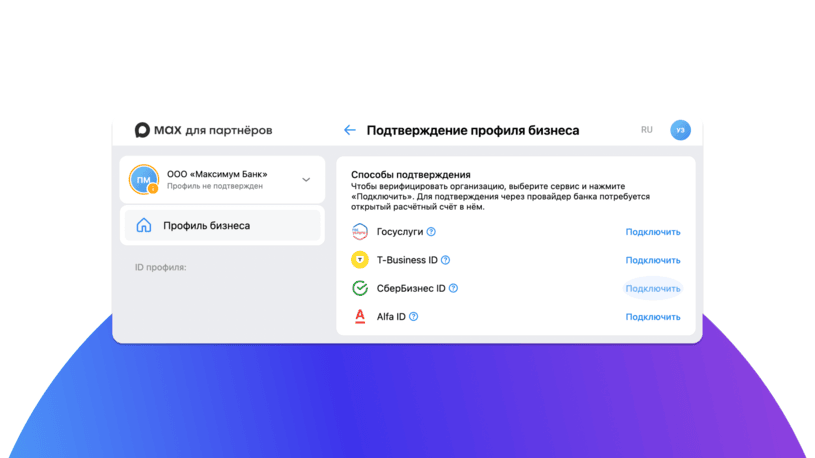
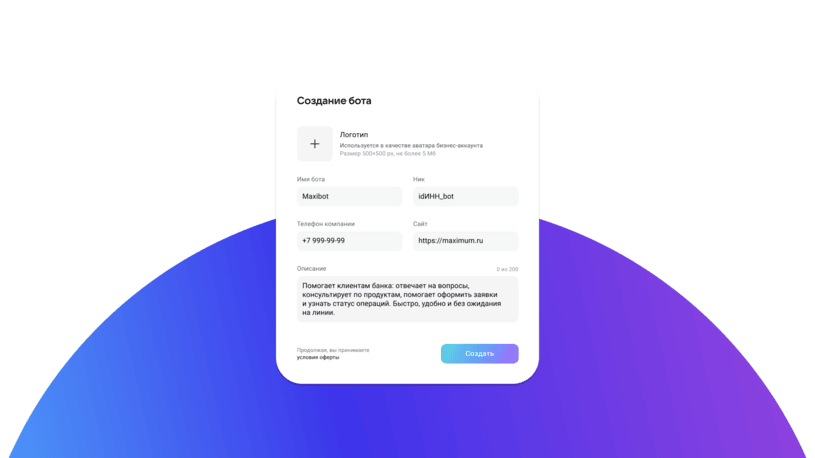
Start by signing up on the MAX Partner Platform using a dedicated corporate phone number. The app requires a company's Tax Identification Number (INN) and legal status confirmation using trusted state or corporate banking portals.
Step 2. Deploy a chatbot and connect it to your CRM
Create a chatbot in the messenger and submit it for platform moderation. Once approved, the system generates a unique API token. It enables MAX CRM integration as well as connecting the new bot with other third-party partner services. Setting up such a connection opens up wide possibilities for MAX automation and efficient customer communication.
Step 3. Create a mini-app
Based on your chatbot, you can build a mini-app, transforming a text-based bot into a visual storefront, where customers can browse a product catalog or book appointments.
Step 4. Launch a channel
Start broadcasting to attract new customers and engage existing ones using public MAX Channels. If your brand already operates trusted communities on VKontakte, MAX allows you to claim those same channel names. Simultaneously, you can launch secure private channels for VIP clients. Such MAX multi-channel approach ensures that no segment of your target audience remains unattended.
MAX Business best practices
In this section, we’ll look at how to use MAX for business most effectively.
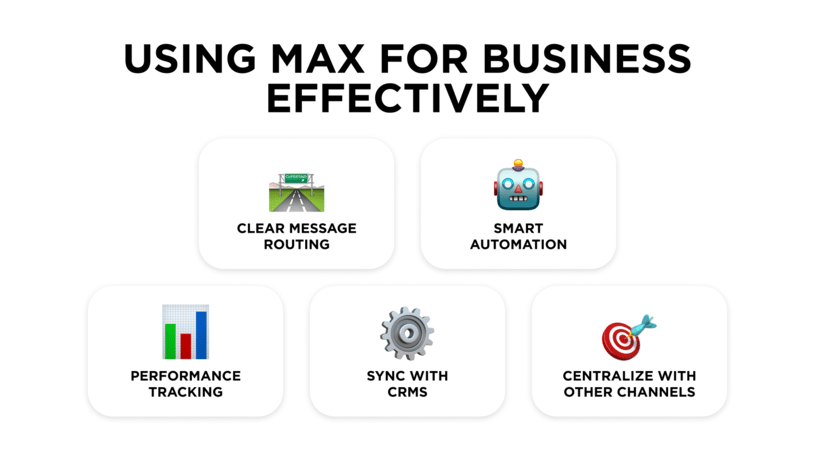
Ensure clear routing logic
Not every customer request should go to the same agents. Organize how inquiries are routed based on the product in question, issue type or customer category. Smart routing improves speed and prevents employee overload, when the same few agents handle every inquiry.
Use automation
Chatbots in MAX can be an effective tool to automate repetitive tasks, providing customers with detailed replies on delivery status, product availability or appointment management — without any human involvement. However, it is important to always provide an easy way to connect with a human agent in case of a complex or escalated issue.
Measure performance
Without keeping track of numbers, the business is essentially flying blind. Among the metrics to keep an eye on are:
- first response time
- average handling time
- average number of inquiries per agent
- customer satisfaction score
These metrics help evaluate whether MAX for business is delivering measurable value and ensure that speed does not come at the expense of personal service, making every chat a step toward long-term brand loyalty.
Synchronize chats with CRM data
Integrating the messenger with the company's CRM system ensures that every customer interaction is logged in real-time. Effective MAX CRM integration ensures that every customer interaction is logged automatically, eliminating manual data entry and providing agents with complete conversation history. It also allows businesses to provide truly personalized service, seeing exactly where a customer is in their journey, making them feel seen and valued.
Centralize communication
Allowing customer interactions to happen across personal employee accounts or unmanaged messaging apps is a big risk to both data security and brand consistency. By centralizing communication across MAX, other messengers, and social media with an omnichannel messaging platform, you get a controlled environment where every conversation is visible and archived. This provides better oversight, ensuring that your brand voice remains professional and consistent across every single touchpoint.
Common mistakes to avoid
To ensure a successful implementation of MAX for business, companies should avoid these pitfalls:
- Over-automation. While MAX automation improves efficiency, over-reliance on bots and canned scripts without human escalation options can frustrate customers.
- Poor staff training. If your team hasn't mastered the platform's nuances, you’ll see a spike in service delays and messy communication, effectively neutralizing the speed and precision that messaging apps are designed to provide.
- Ignoring analytics. By neglecting your performance data, you can miss the subtle bottlenecks in your workflow and the shifting preferences of your audience. In the long term, this can hamper growth and customer loyalty.
MAX benefits for businesses of various sizes
The MAX platform for companies provides a noticeable value for businesses of different sizes and market segments.
For small businesses. Small teams must consistently accomplish more with limited resources. As a national messenger with a rapidly growing audience, MAX allows them to maintain professional communication standards, broadcasting their content to a large number of people without investing in multiple platforms or expanding headcount.
For mid-sized companies. Communication bottlenecks are common in growing organizations. Using chatbots on MAX helps standardize service and maintain short response time even during seasonal peaks in the number of inquiries.
For large enterprises. Integrations with popular CRMs, file sharing (up to 2GB), searchable message history, and group management features enable large organizations to process high volumes of inquiries, while efficiently handling customer data and personalizing communication with each customer.
MAX messenger use cases
Companies across industries can leverage MAX Business messenger capabilities in a diverse set of scenarios.
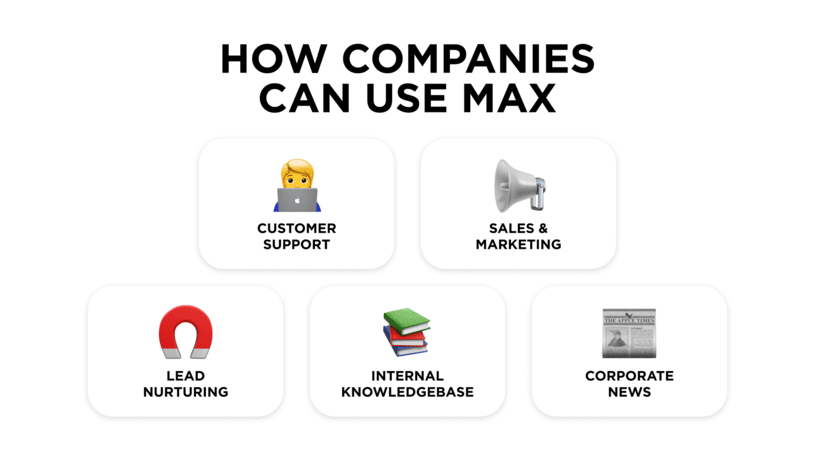
- Customer support. Using chatbots to respond to customer inquiries efficiently, even during after hours.
- Sales & marketing. Public channels on MAX are perfect for broadcasting content to a wider audience, announcing new products or seasonal promotions to subscribers.
- Lead nurturing. Sales teams can use direct messages in MAX to engage prospects in personalized, real-time conversations. Through these messages, you can deliver targeted content, answer questions, and send timely follow-ups.
- Company announcements. Broadcasting important information and corporate updates to all employees through group channels with controlled access.
- Internal knowledge sharing. Searchable message history and file archives make setting up a knowledge base with MAX messenger a straightforward solution.
Frequently asked questions about MAX for business
Let’s go through the most common questions about using MAX for business.
How do companies use MAX?
MAX is a Russian national messenger that can help companies connect with customers and organize internal communication. MAX enables organizations to create official channels, group chats, and mini-apps, as well as communicate with clients in direct messages to improve communication at every step of customer journey.
Who owns MAX messenger?
MAX messenger belongs to VK internet holding company. Legally, the service is registered under LLC "Communication Platform," a subsidiary of VK. The government supported the application’s development, allowing it to function as a national communication service and integrate with the Russian State Services portal (Gosuslugi).
Is MAX messenger suitable for small companies?
Yes. A large share of the population in Russia uses MAX, meaning a presence on the messenger is valuable for a company of any size. SMBs can particularly benefit from MAX features such as chatbots that help compensate for limited staff and manage customer requests efficiently without increasing operational costs.
Can you create a business account in MAX?
Since November 12, 2025, the Partner Platform on MAX is available for legal entities registered in the Russian Federation and individual entrepreneurs. The MAX platform offers enhanced features for verified business accounts. These features include the ability to create public channels that users can discover through the app’s search.
Does MAX messenger support CRM integrations?
The messenger offers API access and bot functionality that enable businesses to connect MAX with their existing business systems. Omnichannel communication platforms such as Umnico offer ready-made MAX integrations with popular CRM systems, such as Bitrix24 and amoCRM.
Summing things up
Considering the current growth rate of MAX’s audience, brands that are the first to adopt the messenger’s extensive capabilities to communicate with customers are likely to stand out among competitors. From verified channels to broadcast marketing content to direct messages for personalized support and chatbots for automating inquiry handling, MAX provides all the tools necessary for effective messenger marketing.
If you plan to use the national messenger as part of your omnichannel communication strategy, consider using Umnico to Integrate MAX with your CRM and get complete control over all client communications — all customers, all channels, all in one place.



Subscribe to Umnico news!
Be the first to get recommendations and up-to-date information