Marketing Messages Lite API: Overview and How It Works
Learning how to use Meta’s new tool for WhatsApp.
A few years ago, companies competed for customers through complex marketing email chains. Today, the main battlefield has shifted to WhatsApp, Viber, Telegram, and other messaging apps.
For many brands, WhatsApp remains a top priority for communication. An enormous audience, a high engagement rate, and an easy-to-use interface are just some of the reasons for using it to send promotional messages to customers. While WhatsApp Business API integration is a suitable tool for the task, it’s not the most cost-effective as Meta charges extra fees for marketing campaigns and not all companies require Cloud API broader set of features.
Marketing Messages Lite API is Meta’s novel way to launch marketing campaigns on WhatsApp quickly and without deep technical expertise. In the article, we will explore MM Lite API capabilities, who it's suitable for and how to start using it for customer communication.
Table of contents:


What Marketing Messages Lite API is
Marketing Messages Lite API is a dedicated solution for sending marketing messages via WhatsApp. The solution doesn’t support sending transactional or service messages, focusing instead on optimizing delivery and reach for promotional content.MM Lite API is not another new platform, but rather a specialized layer of Cloud API capabilities, which allow companies to send marketing messages more effectively with better insights.
Who MM Lite API is built for
While the full Cloud API is a powerful tool for two-way communication on WhatsApp, its technical requirements (managing webhooks, monitoring inbound traffic, and maintaining server infrastructure) can require significant effort for growing teams. The Marketing Messages Lite API was developed specifically to allow high-performance, outbound-only communication without unnecessary technical complexity.
MM Lite API is a suitable choice for:
- Growth & performance teams that need to launch massive promotional campaigns but do not manage complex support workflows.
- Startups & MVPs looking to validate marketing hypotheses and reach customers quickly without a lot of engineering hurdles.
- Marketing agencies managing multiple client accounts that require a streamlined way to trigger broadcasts and track conversion ROI on WhatsApp.
- E-commerce brands during high-volume, seasonal sales, product announcements, and for customer re-engagement.
Note that for transactional updates (order status) or security (OTP/2FA), the Cloud API remains the necessary standard, as MM Lite API is dedicated exclusively to marketing templates.
Marketing Messages Lite API vs Cloud API
Essentially, MM Lite API is a part of WhatsApp Business Cloud API. But since it allows only business-initiated messaging, its setup requirements and functionality differs from a standard solution.
Marketing Messages Lite API works only with pre-approved templates and requires strict and proactive user opt-in to receive messages. At the same time, Cloud API provides the so-called 24-hour “service window” after a user messages a brand, when it is possible to send text or media without pre-approval.
Meta allows both solutions to run in parallel on a single phone number. In fact, if you're already using Cloud API, migrating to MM Lite API is easy, as the solution reuses templates and message formatting settings from Cloud API. What really sets the solution apart is the optimized delivery and deeper insights.
| MM Lite API | Cloud API | |
|---|---|---|
| Primary use cases | High-volume marketing & promotions | Support, utility, & authentication messages |
| Optimization | Meta-backed delivery & read-rate boosts | Real-time reliability & service workflows |
| Exclusive features | Time-to-live, advanced metrics and insights | Inbound message handling & 24hr windows to respond |
| Setup requirements | Additional onboarding (Embedded signup) and business verification | Standard WABA & phone registration |
| Key advantage | Higher delivery rate | Full two-way conversation capability |
Key benefits of Marketing Messages Lite API
Marketing Messages Lite API can be a great tool for reaching a wider audience effectively, thanks to the following advantages.
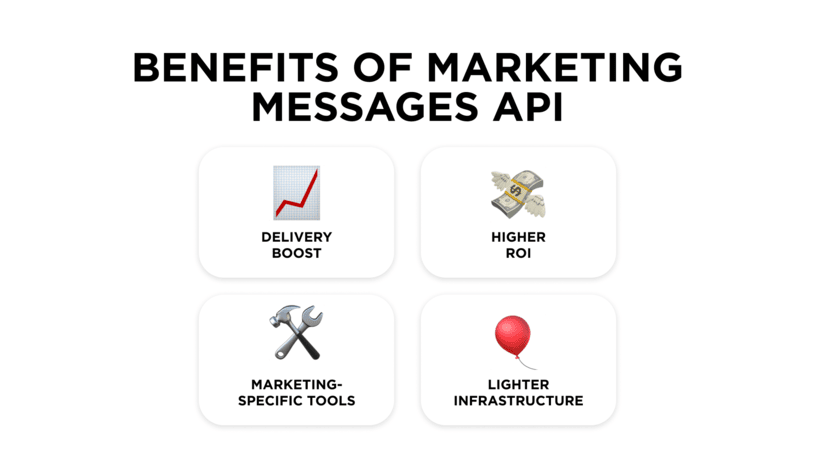
Higher delivery rate
Marketing templates with high engagement rates are automatically optimized for better delivery by Meta’s internal algorithms. In large-scale markets like India, Meta reported up to a 9% increase in delivery rates compared to the standard Cloud API.
Performance-driven ROI
While Meta uses the same billing model as the Cloud API, MM Lite API gets cheaper because of its backend optimization that prioritizes users most likely to engage. By filtering out inactive or "over-messaged" users, you are likely to avoid wasting budget on dead ends.
‘Lite’ infrastructure
Traditional full-fledged APIs require you to manage complex webhooks and "listen" for every tiny event. MM Lite API is significantly lighter on a company’s servers because Meta handles the heavy lifting of message status and delivery optimization in the background.
Specialized marketing tools
Some of them aren’t even available on the standard Cloud API, such as Time-to-Live (TTL), which ensures a "Flash Sale" promotional message doesn't arrive three days late, as well as exclusive benchmarking to see how templates stack up against your industry’s competitors.
Marketing Messages Lite API use cases
Let’s take a look at some examples of how brands can use Marketing Messages API.
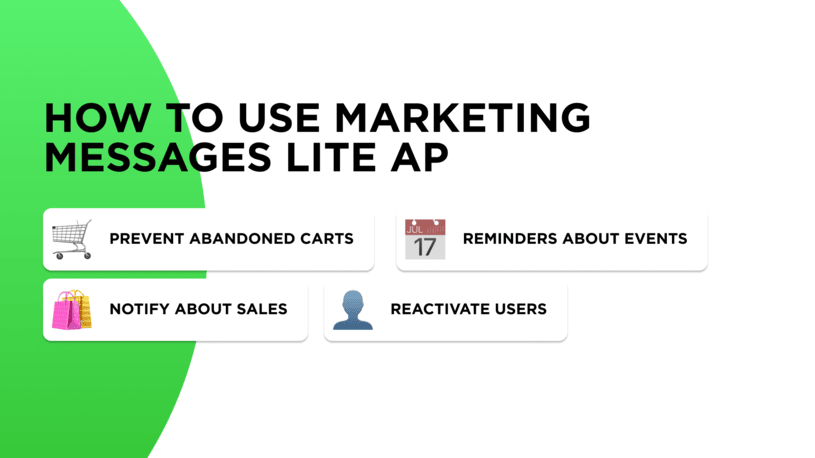
Abandoned carts in e-commerce
Unlike email, which someone might see days later, a WhatsApp nudge arrives while the customer’s buying intent is still fresh. High-intent messages achieve significantly higher engagement than email’s 2-5% average CTR.
Reminders about upcoming events & webinars
For Edtech and Medtech industries, MM Lite API comes in handy for sending out reminders about scheduled events, whether it is a lecture or a physician’s appointment. Start with the basic and foolproof strategy to boost attendance rate and decrease no-shows by sending reminders 24 hours before and 1 hour before the event.

Seasonal promotions and sales
MM Lite API is an ideal tool for sending out marketing campaigns and other one-way communications to large customer bases. For example, informing them about Black Friday deals or End of Season sales start. For a "scarcity" message about an item’s limited stock availability, make sure to set a strict Time-to-Live (TTL) of 24 hours.
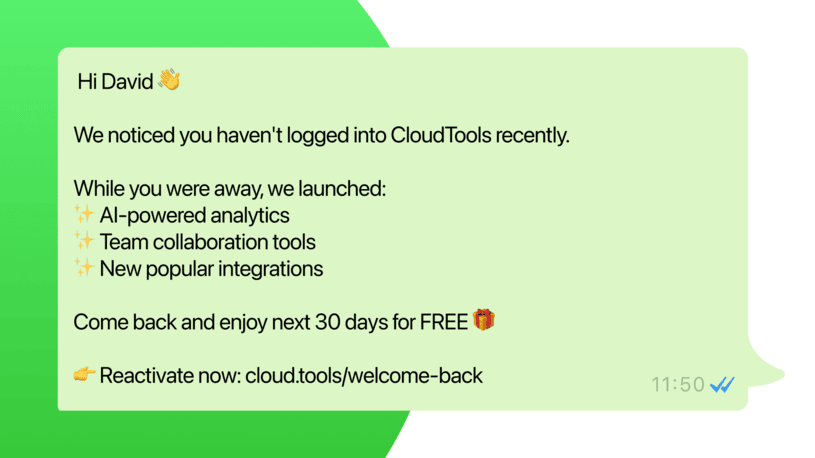
User reactivation
Re-engaging customers who haven't purchased in 3-6 months is difficult via email due to spam filters. Use WhatsApp to offer a "We miss you" incentive to high-value users who have been inactive. If used consistently, such an approach can bring an average reactivation rate to 10-15%.
Where Marketing Messages Lite API falls short
While Marketing Messages API promises a quick setup and lower initial costs, those shortcuts come with certain limitations you should be aware of.
- Two-way communication. The Lite solution is built for broadcasting promotional messages, not conversational marketing. While you can blast messages out, this API lacks functionality for processing inbound messages.
- Global reach. Certain advanced features, such as optimized delivery and performance reporting, are currently unavailable in the EEA, UK, Japan, South Korea, and Russia, while Meta also blocks marketing messages sent to U.S. phone numbers across all Business Messaging APIs.
- Immediate delivery. MM Lite API focuses more on algorithmic relevance rather than speed. Instead of real-time messaging, it relies on a delivery window of up to 24 hours to align with a user’s peak activity periods. This ensures that recipients see messages during “high-intent” windows when they are most likely to engage.
Starting with Marketing Messages Lite API: step-by-step guide
If you plan to start using MM Lite API, follow the steps described below.
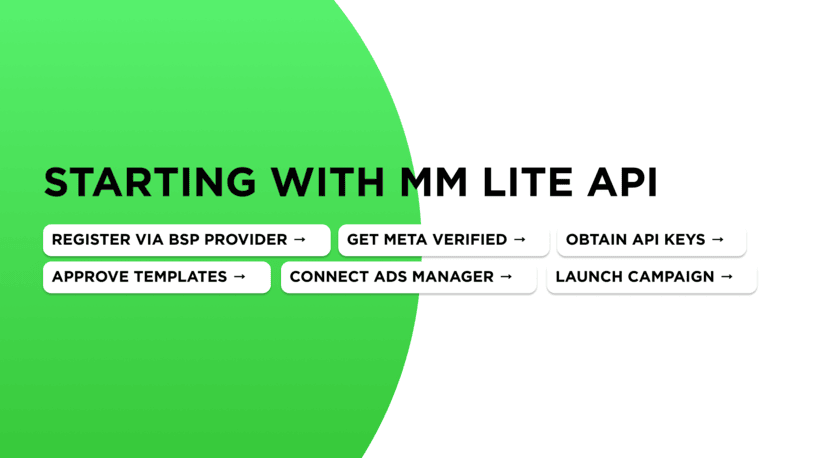
1. Set up access. Register directly via the Meta Developer Portal or sign up with an official WhatsApp Business Solution Provider (BSP).
2. Complete Meta Business verification. Unlike regular Cloud API, MM API requires a business to obtain verified status (green checkmark). You will need to submit your business documents for verification in the Meta Business Suite.
3. Get API keys. Secure your API authentication tokens and integration credentials. You will need these to connect your system to Meta Ads Manager.
4. Approve messaging templates. Create your marketing message templates and submit them for review by Meta. The approval process usually takes less than 24 hours.
5. Connect Ads Manager (optional). Link your WhatsApp Business account to Meta Ads Manager to enable detailed performance tracking for every campaign.
6. Launch your campaign. Choose an approved template, select your audience segment, and launch. You can now track marketing messaging performance directly in Meta Ads Manager.
Tips for effective promotional messages
To reach more customers, achieve higher conversion and avoid platform suspension, follow these simple rules.
- Don’t forget about opt-ins. Ensure to have clear customer consent before sending them promotional messages. Otherwise, your brand’s account faces unnecessary suspension risks.
- Personalize and include a clear CTA. Don’t send generic broadcasts; use variable parameters (customer names, personalized discount codes) within your templates to make every message feel unique.
- Do A/B testing. Try out marketing templates on several customer groups. Not only does this allow you to pick the one that performs better, but it also allows you to check the delivery rate and speed.
- Set TTL on time-sensitive promotions. Apply a Time-to-Live setting (usually 3–72 hours) so the message auto-expires when the offer ends to prevent complaints and protect the brand’s reputation. After creating or editing any template, wait at least 15 minutes before campaign launch to avoid the “template not found” error.
Frequently asked questions
People often look for answers to the following questions about MM Lite API.
Can I send messages both via Marketing Messages Lite API and Cloud API?
Yes. In fact, it is an optimal strategy to use both: MM Lite API for marketing campaigns and WABA Cloud API for transactional and service notifications, as well as two-way communications.
Is MM Lite API better than Cloud API?
The exact figures depend on both region and business specifics, but on average, marketing campaigns sent via Marketing Message Lite API are 9% more effective compared to same campaigns sent via the traditional solution, thanks to specific optimization.
Can I receive customer replies via Marketing Message Lite API?
MM Lite API focuses solely on one-way marketing communication. If you exclusively use this API, you risk missing a customer’s reply. For two-way dialogues with customers, it is required to set up the traditional WhatsApp Business Cloud API.
Do marketing campaigns via WhatsApp require opt-in?
Definitely. Sending promotional messages to customers on WhatsApp without their explicit prior consent often leads to account suspension based on users’ complaints.
Is it possible to use MM Lite API to send multimedia?
Yes, Marketing Messages Lite API supports the same message formats as Cloud API, including images, files, and video. The key difference is that multimedia can only be sent as parts of pre-approved marketing templates.
Summing things up
Marketing Messages Lite API is an excellent tool if your goal is quick, one-way marketing communication like promotional messages or event updates. However, for driving sales and providing support through two-way dialogue, MM Lite API is insufficient.
WhatsApp Business API integration by Umnico transforms the messaging app into a comprehensive sales and support ecosystem. Umnico provides an official solution that ensures stability, enables unlimited team members to manage a single number, and supports safe, high-volume broadcasting at 100 messages per second. Also, there are robust CRM integrations, an intuitive chatbot builder, and extensive automation features to drive high open rates and handle complex two-way conversations efficiently.
You might also be interested in the following topics
A Guide to Using WhatsApp Business with Multiple Users


Subscribe to Umnico news!
Be the first to get recommendations and up-to-date information