How to Combine All Messengers in One App
Outlining how dedicated software enhances communication.

Combining all messaging apps in one is vital for any customer-oriented business. We all know how it often happens: a conversation with a single customer might span across half a dozen channels: they initiate a chat in live chat, receive a reply on WhatsApp, then follow up a couple of days later via Instagram DMs.
Each channel pulls the agent's attention into a different window, device, or browser tab. Together, this results in a fragmented communication environment that drains focus and time. An all‑in‑one messenger is designed to solve exactly that problem. In this article, we explain what unified messaging tools are, how they help businesses, and what to look for when choosing a solution.
Table of contents:


What is an all‑in‑one messenger
An all‑in‑one messenger is an application that allows a user to manage chats on multiple social media and messaging platforms in a single interface.Instead of using different programs for WhatsApp, Telegram, Facebook Messenger, Discord, and Instagram DMs, you can launch one app that consolidates everything into a single workplace. The majority of such platforms operate either as a multi‑service container that organizes each platform’s web interface into tabs or panels, or as a genuine all‑in‑one messenger app, such as Umnico Inbox, that connects via APIs and organizes conversations into a single view. In either case, the final result is that your chats are accessible from one location, and there is no need for constant switching between tabs or apps.
Why put all messengers in one app: key advantages
Let’s take a look at the benefits of combining all your communication channels into a single interface.
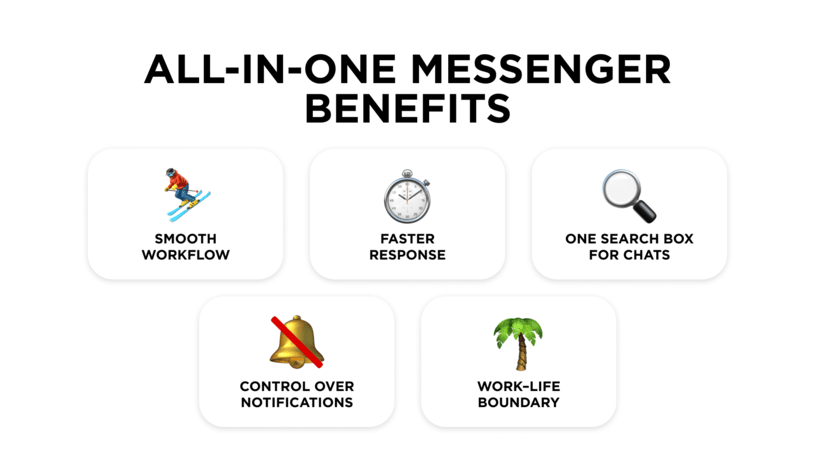
Less friction
Having all messengers in one app eliminates the micro‑decisions that accumulate all day, such as “Should I check WhatsApp again?” or “Did that client send the file on Telegram or email?” Opening one app and scanning the list of all conversations is far easier than hopping around half a dozen apps and tabs.
Faster response
Multitasking, which is essentially frequent context switching, can significantly hamper productivity. Every time you switch from a document to a different messaging app, your brain has to reorient. Combining all messengers in one reduces the number of interface changes and lets you batch work with chats into focused blocks, which for many is often a more efficient way to work.
One search box
A typical productivity drain is knowing a key detail exists but not remembering where it is. Was that address in a WhatsApp thread or an Instagram chat? Unified messaging apps that index your chats enable you to search across all connected services at once, so you can avoid a time-consuming search through many apps.
Controllable notifications
Various notifications drain focus and add stress, even to the most efficient of us. A messaging hub cuts the noise by letting you adjust notification settings for all channels at once or group alerts into clear categories. The result is fewer unexpected pings and a workflow without constant interruptions.
Definite work–life boundary
When every app is just another icon on a personal phone, work virtually never ends, whether it’s late in the evening or the weekend. A unified messenger allows you to take all work-related chats into a single interface, leaving your personal devices for personal communications. Separating workspace and “me time" allows you to easily decide when work conversations can reach you and when you’re temporarily unavailable.
Who benefits most from unified messaging
Almost anyone who uses text communication platforms daily can gain something from consolidating their communications.
- Social media and community managers have conversations arriving from every channel: Instagram and Facebook, Discord and Telegram groups, plus email and website chat widgets. A unified environment lets them view every incoming message in a single interface, maintain consistent response times, and track which channels are busiest and when.
- Customer support teams often manage website chat, email, WhatsApp Business, and social media platforms simultaneously. A central dashboard enables agents to work with a unified ticket stream, share the workload evenly, and standardize response templates and tone.
- Small business owners rarely get to choose their preferred communication tool. For example, while suppliers use WhatsApp, customers reach out via Facebook or Instagram, and team members favor Telegram groups. Pulling these channels into one application helps to prevent customer and partner conversations from being missed.
- For remote and hybrid workers, a centralized messaging hub reduces the time spent checking each tool "just in case," making it easier to stay reachable across time zones. Focused work is also easier when you can mute entire categories of channels at once.
What makes an effective all‑in‑one messenger
If you’re evaluating several unified messaging apps as options, use these criteria as a starting point.
Strong security and privacy
Since you are likely to connect accounts that may contain sensitive data to the platform, look for a solution that provides clear privacy documentation, modern authentication methods (including two-factor authentication), as well as local encryption or app lock options. It is better to stay away from products that make vague claims about security without specifics than to be sorry (and even face lawsuits) later.
Broad platform support
The tool should integrate with the services you actually use. At a minimum, most professional platforms include support for popular messaging apps (WhatsApp, Telegram, Facebook Messenger), social media (Instagram, Facebook), niche platforms relevant for your business (Discord, LinkedIn, etc.), as well as a live chat widget for a website.
Cross-device experience
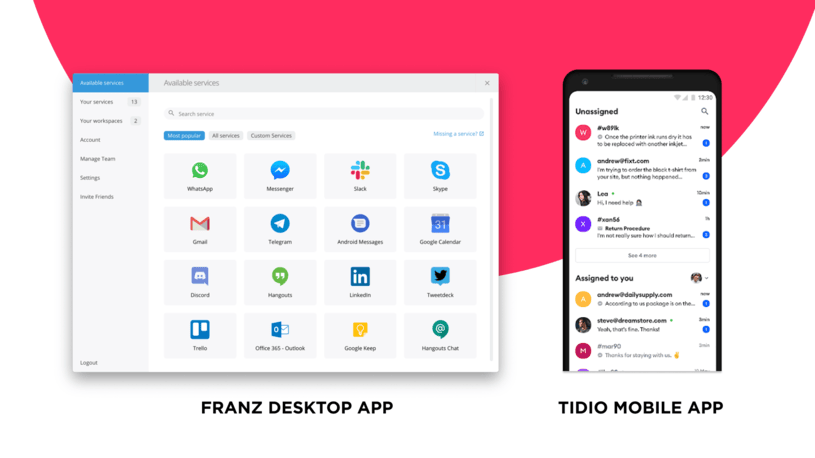
Ideally, a messaging hub should run on your primary desktop OS, whether that's Windows, macOS, or Linux, while also offering a web interface or native mobile app for on-the-go access. Equally important is seamless synchronization: read status and settings should carry over between devices so you're never guessing which messages you've already addressed.
Stability and performance
Solid solutions can handle many connected services without crashes and manage memory sensibly by sleeping inactive services and limiting CPU use. If you plan to connect ten or more accounts, prioritize performance reviews from users who stress-test these applications daily.
Customization options
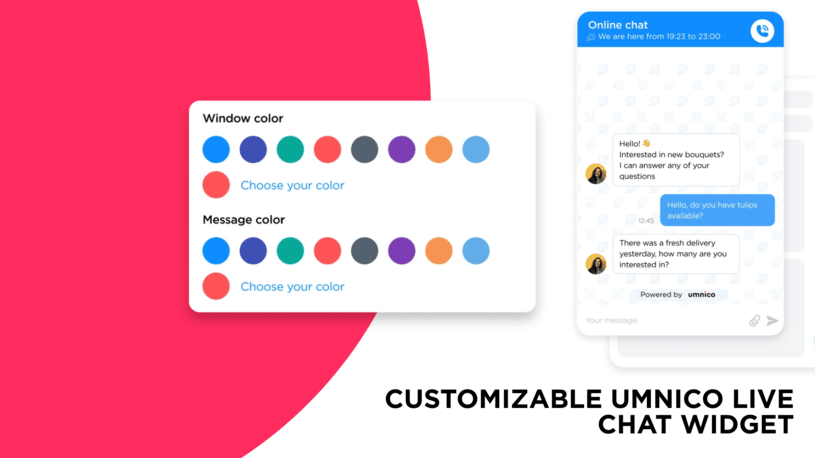
Helpful features include custom sidebars or service groups for organizing your accounts, keyboard shortcuts, light and dark modes, and fine controls over notifications. The more configurable the tool is, the easier it is to shape around your existing habits and use efficiently.
CRM integrations
While an omnichannel platform aggregates conversations, connecting it to a CRM is what turns those chats into business assets. Integration with systems that are already in use by the company gives agents immediate access to purchase history and deal stages. This allows the team to drive revenue and build relationships with a full, 360-degree view of the customer journey.
Active community and support
Messaging services often change their APIs and authentication methods, which means your unified inbox needs ongoing maintenance to keep working. Look for recent releases or changelogs, an active community or responsive support channel, and clear roadmaps outlining plans for new services or features. It is not recommended to use a project whose team doesn't follow the latest developments in the world of messengers and social media.
How unified messaging apps work in real-life scenarios
Let’s take a look at some common situations where unified messaging hubs might help.
A consultant managing multiple clients
Lucy works with several high-profile clients at once. One prefers WhatsApp, another uses Telegram, and a third insists on emails. She also receives Instagram DMs from prospects.
Before, she cycled through every app hourly, worried she’d miss something, with a desktop full of chat windows and a phone that was always sending push notifications. After switching to a messenger aggregator, she works with all clients in one window. She’s now faster, not because she’s stressed, but because everything she needs is visible in one place.
A support team of an e-commerce store
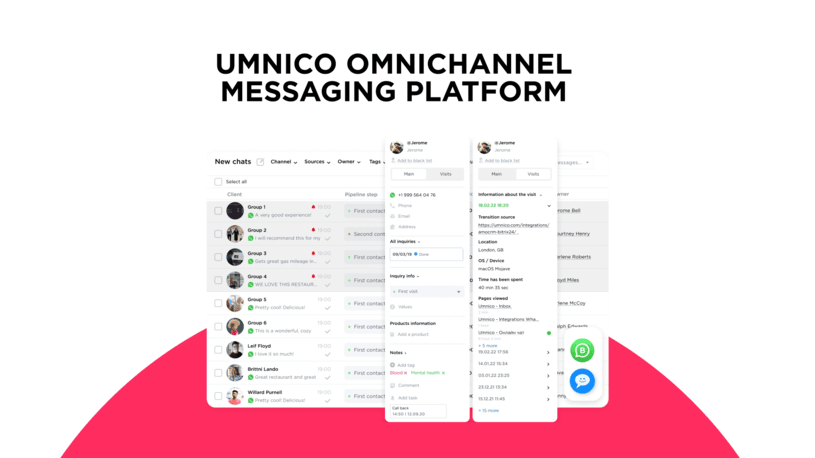
An online retailer might field pre-sales questions on Instagram, handle order issues through Facebook Messenger, and manage repeat customers via WhatsApp Business. A messaging hub puts everything into one dashboard where all five agents can log in together, assign conversations to an available agent, and keep every channel active. This allows the team to cut down response times, while managers get clean reporting without bolting on complicated integrations.
A team lead working across multiple time zones
Jesse coordinates a distributed engineering team. She needs to stay reachable on WhatsApp, handle quick questions from direct reports on Telegram, and keep personal chats separated so she can truly disconnect after work. After switching to a unified messaging tool, she has separated work chats from friends and family chats, while automatic schedules mute the work profile at night based on each region's time zone. The result is better availability when she's on the clock and cleaner mental breaks when she's off.
Rolling out a messaging hub smoothly
An effective unified messaging implementation requires careful planning, which includes the following steps.
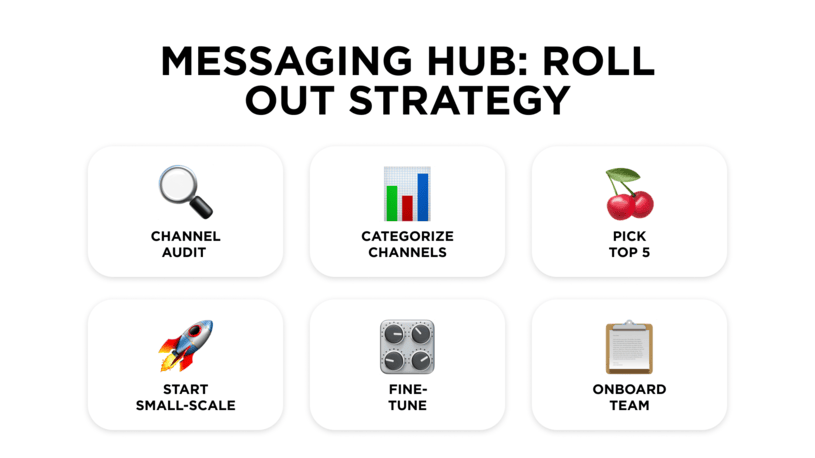
- Audit your channels. List every platform you currently use, noting how frequently you check each one and what purpose it serves—internal team communication, customer support, personal connections, and so on. This inventory often reveals forgotten accounts and surprising patterns in where your attention actually goes.
- Group services by purpose. Tag each platform as work, personal, support, or marketing. This categorization becomes the foundation for organizing workspaces or profiles later, making it easier to focus on one area of your life at a time and mute others when needed.
- Prioritize support for the top 5 services. Perfect integration with every niche app matters less than reliable, stable support for the platforms you depend on daily. Choose a tool that handles your most critical channels exceptionally well rather than one that promises everything but delivers inconsistently.
- Start with a limited experiment. Move three or four services into the new app for a two-week trial period. Pay attention to what improves (faster response times, fewer missed messages) and what doesn't work as expected. This low-risk approach lets you evaluate the tool before fully committing.
- Fine-tune notifications. Use your new hub to create a deliberate notification strategy: decide which apps can interrupt you during what hours and on which devices. The goal is staying responsive without being constantly reactive.
- Educate your team. Provide clear guidelines about the channels, the expected response time, and when to mute notifications. Alignment across your team prevents confusion and ensures everyone benefits from the consolidated approach.
Frequently asked questions
Here, we cover some of the most common questions about all‑in‑one messengers.
Is it safe to connect all my accounts to one app?
Legitimate tools rely on the same web sessions or secure tokens as your browser. Choose products with strong security documentation, avoid unknown developers, and protect your device itself with a password or encryption.
Do I lose any functionality compared to native apps?
This depends on the platform in question. Most core features, text, images, and file sharing are available in the majority of aggregators. Advanced capabilities like screen sharing, voice/video calls, or platform‑specific integrations may still require the original app or a browser.
Will such an app slow down my PC or laptop?
Running many services through a single interface consumes RAM and CPU, especially if they’re all active at once. Efficient apps are capable of pausing unused services, so one optimized hub can be lighter than a dozen separate apps and tabs.
Are there free options, or do I have to subscribe?
Many products have free tiers with caps on the number of services or advanced options. Paid plans usually unlock more accounts, priority support, team features, or enhanced control over notifications and workspaces.
What if a messaging service changes its API?
Most professional platforms, like Umnico, release updates within days. However, apps without active support and development teams can stop working for months or forever after such changes.
Summing things up
In today’s world, communication channels often appear faster than we adopt and learn how to use them effectively. For business, the issue of smooth multichannel communication is all the more pressing since customers are more likely to switch to a competitor rather than change their messaging habits.
With all‑in‑one messengers such as Umnico, you can effectively orchestrate the complexity of omnichannel customer communication. The platform offers stable integrations with over 25 popular messaging apps and social media, including reach-out-first features, as well as powerful automation with triggers, auto-replies, and chatbots. Connect your messaging channels to Umnico and manage all communication in one interface.
You might be interested in similar topics
Customer Communication Management Guide


Subscribe to Umnico news!
Be the first to get recommendations and up-to-date information