Avito in Bitrix24
up +29% Leads
up +33% CR
up +84% Read Rate

Avito and Bitrix24 Integration

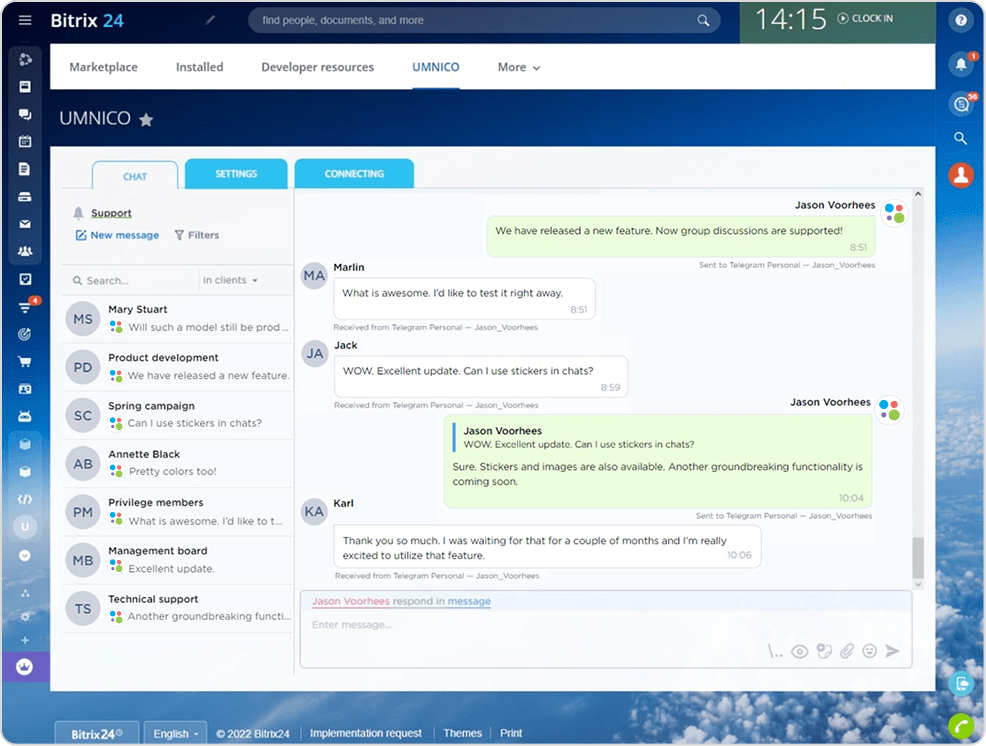
Avito integration with Bitrix24 through the Umnico platform allows you to combine customer conversations, inquiries, and leads from Avito in a single CRM interface. After connecting your Avito account, new messages related to listings automatically create deals in Bitrix24, where employees can communicate with buyers, track the history of requests, and manage sales.

Processing of inquiries
Fast processing of inquiries
All inquiries from Avito immediately appear in Bitrix24, which speeds up the response time of your employees
Performance monitoring
Employee performance monitoring
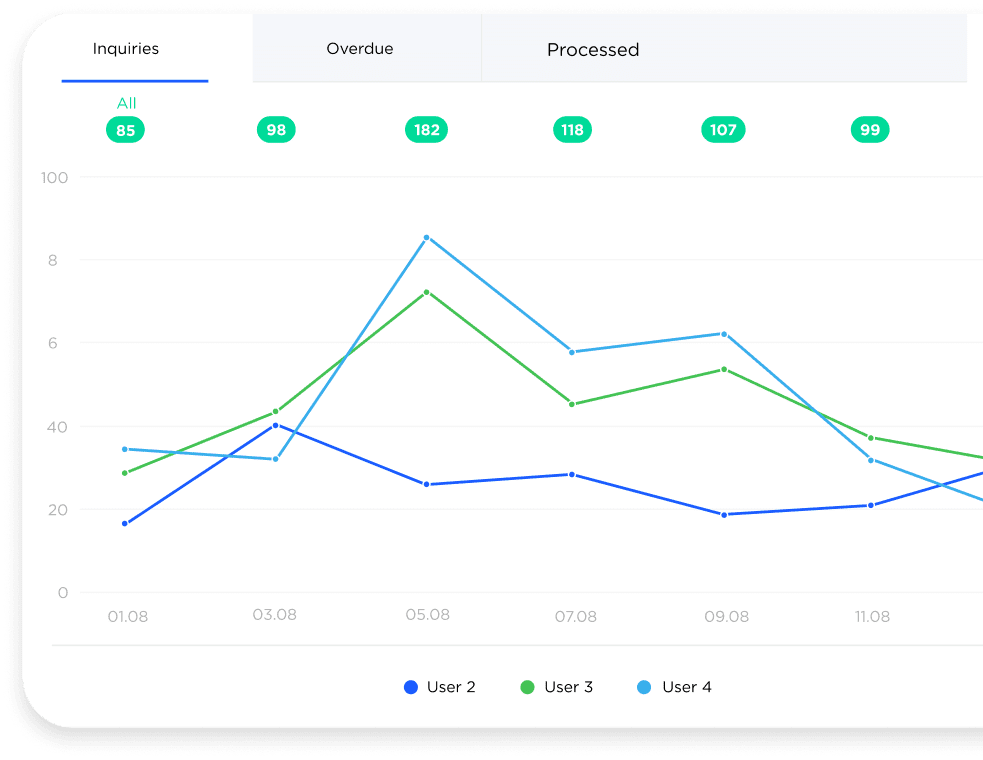
Managers can see all messages and employee actions, which simplifies team management and performance analysis
Automation of tasks
Automation of routine tasks
Lead creation, inquiry distribution, and notification sending occur automatically
SBER
kia
invitro
dhl
raif

Why connect Avito to Bitrix24

Avito integration with Bitrix24 is an effective tool for sales automation and managing customer inquiries from a popular classifieds marketplace. After connecting Avito to the CRM, the system automatically collects all messages and inquiries in a single interface where employees can quickly process requests and communicate with customers.


Using a CRM for Avito helps optimize business processes. The system records the history of messages, automatically distributes inquiries among employees, and allows you to use reply templates. This significantly speeds up communication with buyers and improves service quality. In addition, Avito integration with Bitrix24 helps control the flow of inquiries and analyze employee performance. A manager can track the number of inquiries, response speed, and the conversion from conversations into deals.

What tasks the Avito and Bitrix24 integration solves

Check mark
Full control of conversations
Do conversations with customers about Avito listings get lost or scattered across different platforms? All messages and attachments are automatically saved in Bitrix24, providing centralized and convenient control of communications
Check mark
All customer information in one place
Do you lack information about the buyer during communication? All inquiries from Avito are immediately linked to deals and contacts in the CRM. You can see the conversation history, repeat inquiries, and the deal status
Check mark
Increased conversion from inquiries to sales
Do you receive many messages but few actual deals? Avito integration with Bitrix24 speeds up responses, automatically creates leads, and distributes inquiries among employees without losses or delays
Check mark
Reduced time spent on routine tasks
Do consultants spend hours manually creating deals and processing messages? The integration automates key processes. Leads are created automatically, and tags and sources are assigned automatically
Check mark
No inquiries are lost
Do messages remain unanswered during a high volume of requests? All inquiries from Avito are guaranteed to be delivered to Bitrix24 and recorded in the sales pipeline
Check mark
Transparency of the sales department’s work
Is it difficult to understand who processes inquiries and how they do it? All conversations and employee actions are recorded in the CRM, which simplifies quality control, training, and team performance analysis

Let’s find out how Umnico can improve your business performance

quiz blue line

What kind of business do you do?

1   /6

question

Features of Avito and Bitrix24 integration via Umnico

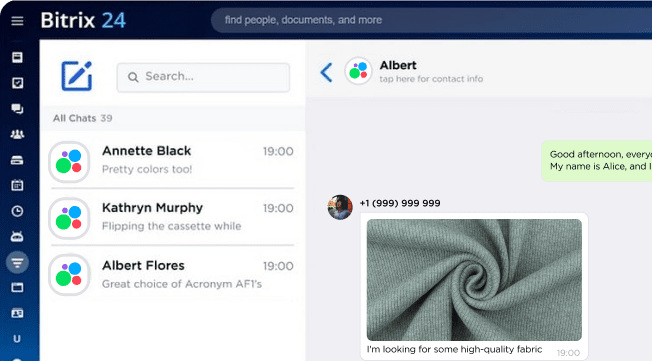
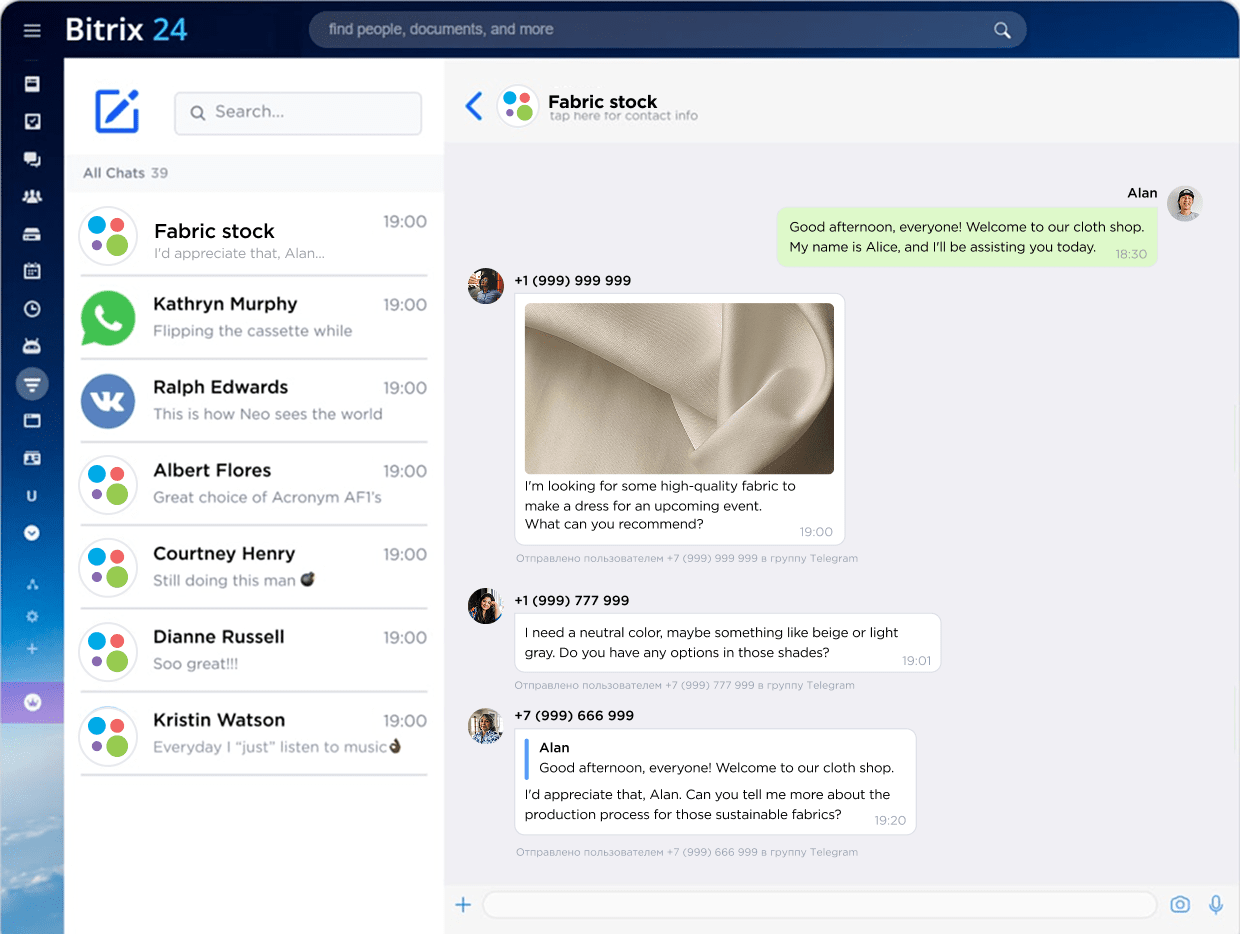
Avito integration through Umnico allows you to process customer messages directly from the Bitrix24 interface. After connecting Avito accounts, all inquiries automatically appear in Bitrix24 Open Channels. The use of the official Avito API ensures stable message synchronization and minimal data transfer delay. Additionally, you can configure auto-replies, message templates, and automatic distribution of inquiries among employees.

All Avito messages in a single interface

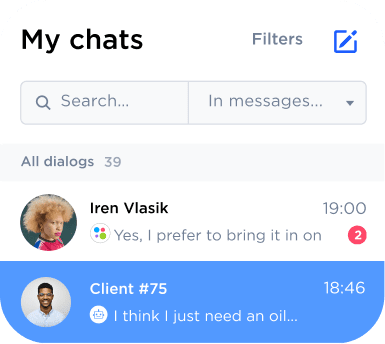
All Avito messages in a single CRM interface

After connecting the integration, all conversations with buyers from Avito are automatically collected in Bitrix24. Your employees can reply to messages directly from the CRM without switching between tabs and applications, which saves time, speeds up inquiry processing, and increases team efficiency.

Automatic distribution of inquiries

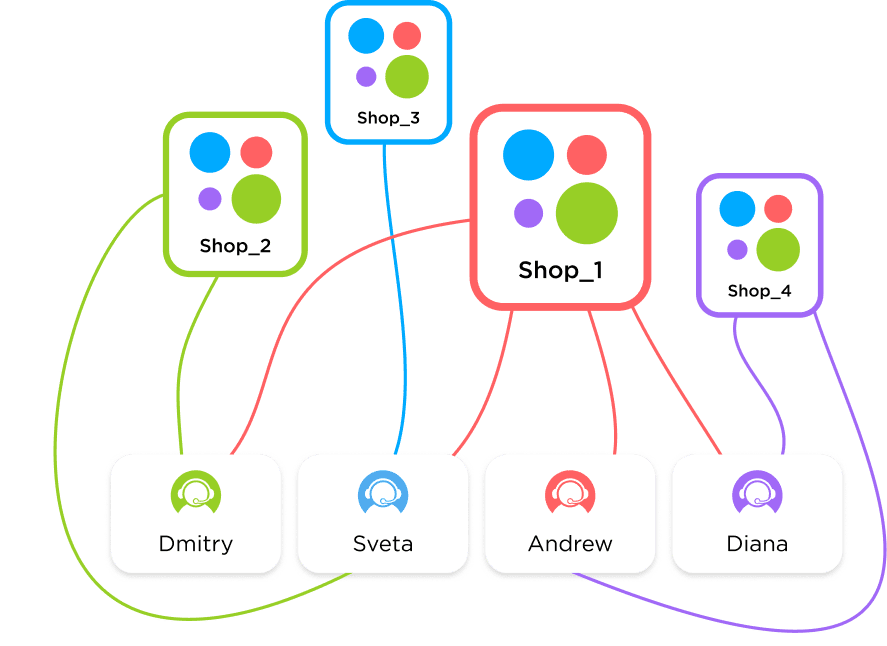
Automatic distribution of inquiries among employees

The integration allows you to configure automatic assignment of incoming inquiries. For example, inquiries from a specific Avito account can be automatically assigned to a responsible employee or sales department. This reduces processing time, eliminates lost inquiries, and helps maintain a high level of service for all customers.

Avito logo

Connect Avito to Bitrix24 and increase your sales efficiency

Auto-replies and notifications for customers

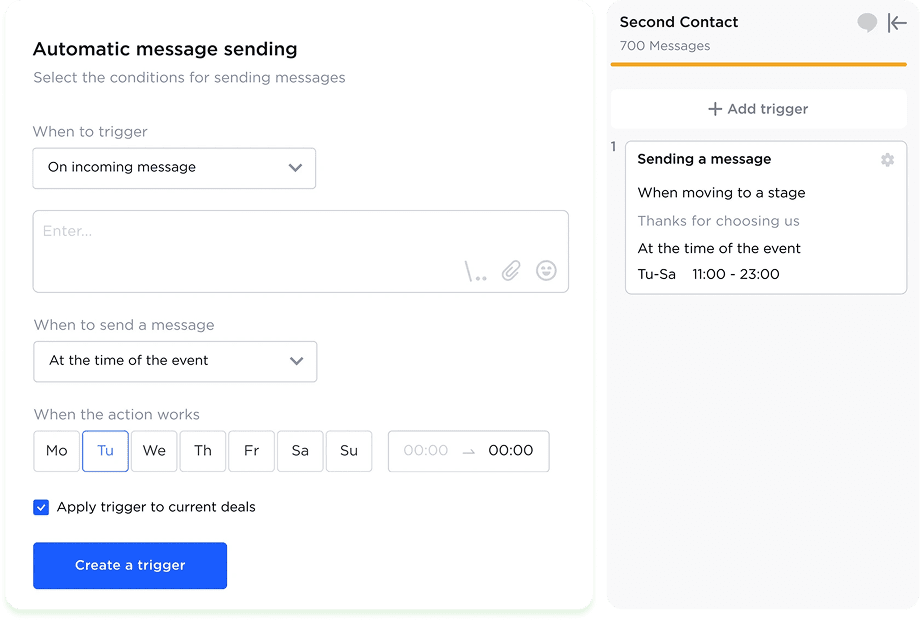
Auto-replies and notifications for customers

The automatic reply function sends messages to customers immediately after they submit an inquiry. This allows you to stay in touch with buyers even outside working hours, inform them about the status of a request or order, and increase trust in your company. A quick response increases the chances of retaining the customer and speeds up inquiry processing.

Viewing the listing and exchanging photos

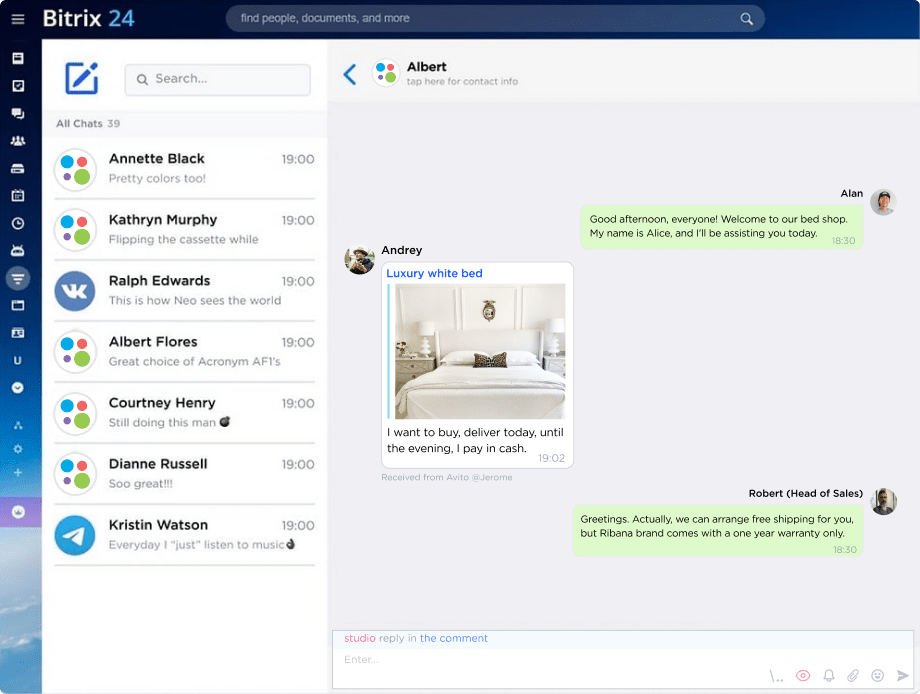
Viewing the listing and exchanging photos directly in the CRM

An employee can see the listing that the customer referred to, as well as all attached images. This speeds up the understanding of the request, allows employees to quickly send additional product photos or service examples, and increases the chances of a successful sale.

Additional features of the Avito and Bitrix24 integration

Forwarding to other messengers
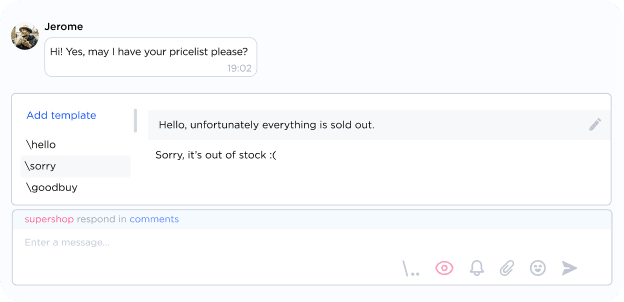
Reply templates
Templates in Inbox
Filters and sorting
Filters and sorting
Work analytics
Work analytics
File sharing
Sending files
Team collaboration
Cooperative work
Conversation history
History of correspondence

Why Avito integration with Bitrix24 is better than working through the app

Using the Avito mobile application is convenient for a small number of messages. However, when the volume of inquiries grows, managing conversations becomes more complicated. Messages may get lost, and it becomes difficult for a manager to monitor employee performance.

Avito integration with the Bitrix24 CRM allows you to transfer all conversations and inquiries into a single system. This makes it possible to automate inquiry processing, analyze sales performance, and centrally manage customer data.

Avito AppAvito in Bitrix24
Conversation automation-+
Automatic inquiry distribution-+
Working with multiple accounts-+
Inquiry analytics-+
Team collaboration in one chat-+
Tracking repeat inquiries-+
Customer data management-+
Centralized chatting in messengers-+

How to connect Avito to Bitrix24

Bitrix24 Integration into Umnico

Register in Umnico and connect your Avito account

Install the Umnico application in Bitrix24

Add the API token and connect Avito through the Contact Center

After the integration is configured, all messages from Avito will automatically be delivered to Bitrix24 Open Channels, where employees can process inquiries and communicate with customers.

The price of Bitrix24 and Avito integration

The cost of connection depends on the selected plan and the number of connected Avito business accounts.
Starting from undefined a month
You can test the Avito CRM integration for free during the trial period and evaluate the sales automation capabilities.
All-in-one messenger widget with custom rates

Other messenger integrations with Bitrix24

The Umnico platform allows you to connect other messengers and social networks to Bitrix24. This helps you process customer inquiries from different communication channels in a single interface.

WhatsApp integration with Bitrix24 allows you to receive customer messages and manage conversations directly from the CRM
Connecting Telegram to the CRM helps you communicate with customers through bots and personal accounts
Receive messages and comments from your VKontakte community directly in Bitrix24 and respond to users faster
A full-featured MAX channel in Bitrix24 that helps organize customer inquiries and automate repetitive processes

Frequently asked questions about Avito and Bitrix24 integration

The most popular customer questions about connecting Avito to Bitrix24 via Umnico:
Can multiple Avito accounts be connected?
Yes, you can connect several business accounts simultaneously. All messages and inquiries will be delivered to Bitrix24, where they can be distributed among employees and monitored.
Can a personal Avito account be connected?
No, the integration works only with business accounts through the official Avito API, which ensures stability and security.
Is there a free trial period?
Yes, new users can test the integration for free, check message delivery, auto-replies, inquiry distribution, and work with photos.
Are there delays in message delivery?
Delays are minimal. Messages are synchronized through the Avito API almost instantly, which speeds up responses from your employees.
Can message templates be used?
Yes, templates and auto-replies are available to speed up inquiry processing and maintain a consistent communication style with customers.
How many employees can work with one account?
Several people can work with one account simultaneously with the ability to distribute inquiries and monitor employee actions.
Are technical skills required to connect it?
No, the setup takes only a few minutes and does not require programming. After connection, all Avito messages will automatically appear in Bitrix24.
Organize work with customers from Avito in Bitrix24 and increase your sales efficiency

Organize work with customers from Avito in Bitrix24 and increase your sales efficiency

Sign Up