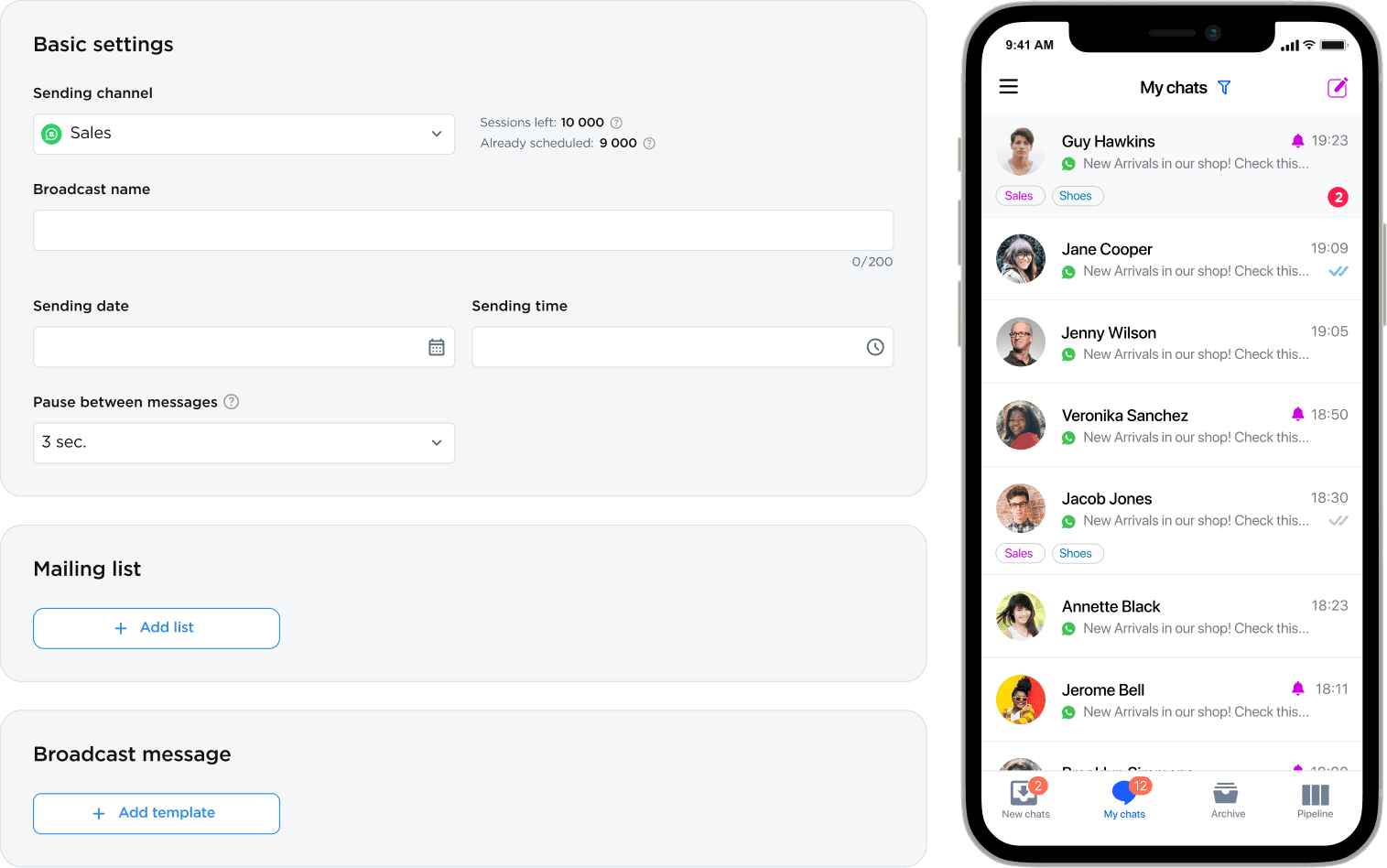
Broadcast messages in WhatsApp and Telegram across your database

Attract new customers, collect leads, and inform a wide audience through popular messengers like Telegram and WhatsApp by using mass texting. Switch from expensive and one-way SMS campaigns to affordable and interactive messaging in modern formats with a 95% open rate.

multimedia
Multimedia Format
A message can contain up to 4,096 characters of formatted text, images, videos, buttons, links, and files
customer feedback
Customer Feedback
Clients can respond to your message in the messenger, and you can immediately start processing a new request
automation of communication
Automated Communication
Delayed and trigger-based messaging; GPT-powered chatbots for handling typical queries 24/7
new mass mailing list

Why are messaging campaigns important?

WhatsApp and Telegram Broadcasting allow you to directly communicate with customers and subscribers, increasing their engagement and conversion rates. They also help attract new customers or inform your broad audience about special offers and promotions.

Umnico's service helps you create and automate campaigns in WhatsApp and Telegram. It is easy to use, even for beginners. By using messaging campaigns, you can significantly improve communication with your audience, achieve business goals, and increase the profitability of your project.

Advantages of bulk messaging campaigns

Messaging apps are already installed on the smartphones of billions of people worldwide. Messages in messengers are opened and read much more frequently than emails. Moreover, it’s easier to prompt users to take actions, such as visiting a website or making a purchase, within a messenger. The content can be easily tailored to each subscriber, making campaigns more relevant and engaging. Messaging campaigns are also cheaper than SMS campaigns, making them accessible to businesses of any size and budget.

2+ billion

people in the world use messaging apps

95%

open messages in messengers

3x

of users click on links and respond

- 2/3

cheaper than SMS campaigns

The Umnico messenger marketing service has helped many brands expand their customer base
dhl
raif
invitro
kia
radisson
iidf

Bulk messaging in WhatsApp and Telegram using Umnico will help you to…

Promote products and services

Distribute information about a promotional campaign to a database of potential customers to stimulate their interest in the product and participation in marketing campaigns

Available messaging channels

The omnichannel platform Umnico supports communication with customers through 25+ channels. For sending messages through active dialogues or an audience of subscribers you can use Telegram Bot.

For mass messaging to a new customer base, you can take advantage of WhatsApp Business API – the most effective and reliable channel for interacting with billions of people on the planet.

Messaging via Telegram

  • Official integration with Telegram
  • Avatar and sender name
  • Sending and receiving photos, videos, emojis, and files
  • Clickable links in messages
  • No moderation or waiting times
  • AI-powered chatbots for answering questions
  • From registration to launch of messaging — 5 minutes
newsletter analytics
coming soon

Messaging analytics

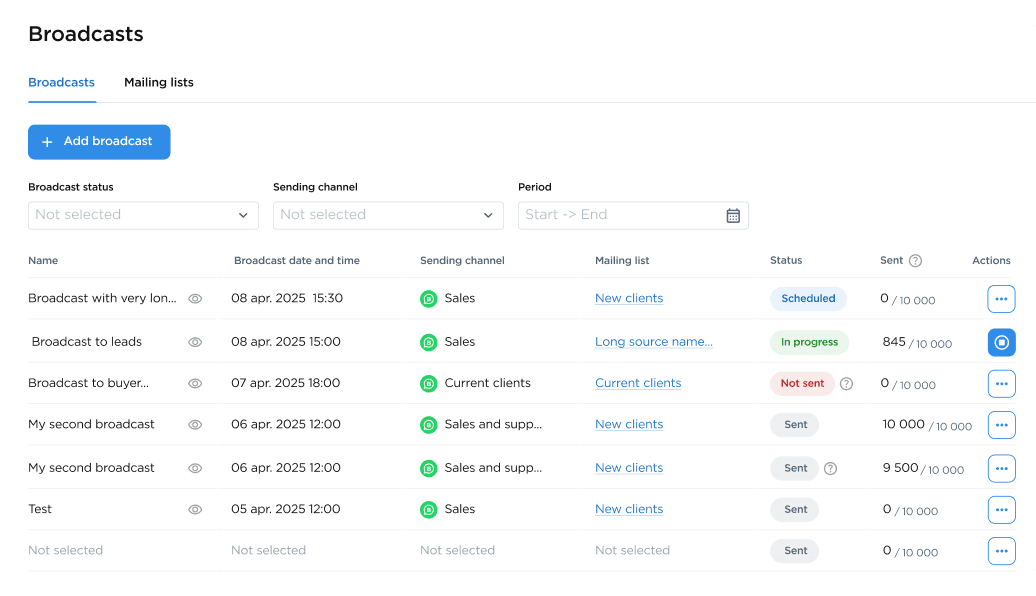
Post-campaign statistics in messengers will provide information on the number of messages sent, delivered, read, and responded to. Additionally, analytics will show how long it took to send mass messages to the entire recipient list.

Data for each campaign can be exported to an Excel spreadsheet for further analysis.

phone number check

Contact number validation

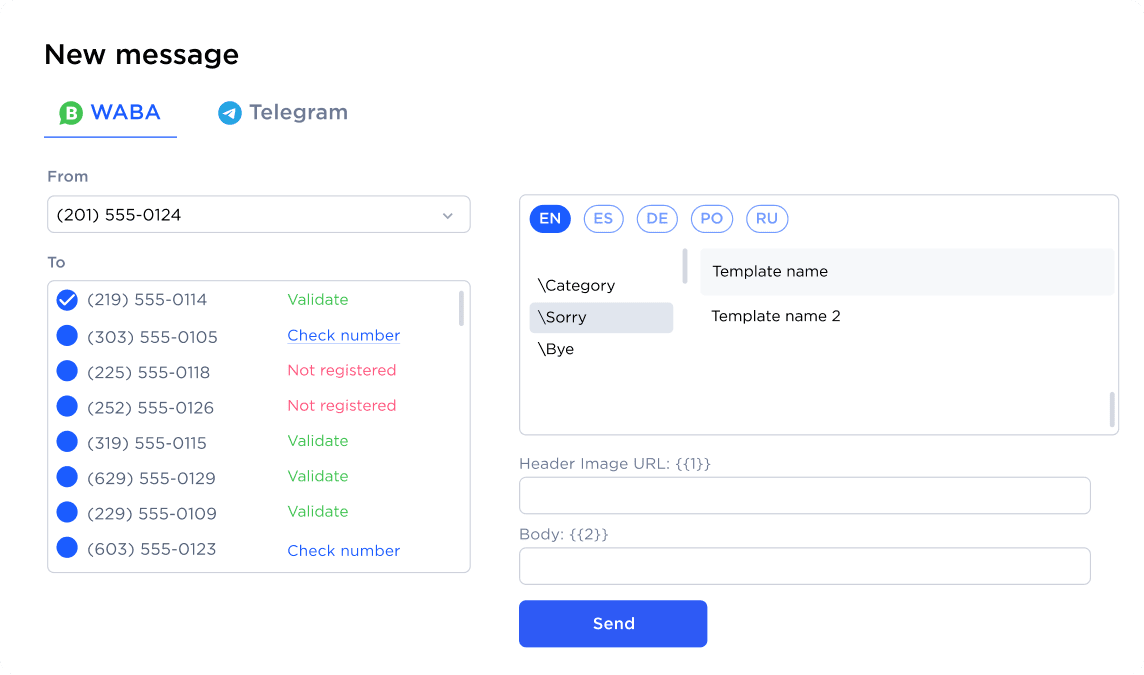
Before sending messages through messengers, you can perform validation of every contact to check whether recipients have a WhatsApp account. After validation, all invalid numbers can be removed from the list.

Contact data validation will help you save significantly by avoiding the cost of sending messages to clients without messenger accounts, and it will provide accurate data for analyzing the effectiveness of your campaigns.

sending newsletter
Take advantage of all interactive mass notification features to increase audience engagement SIgn up
sales funnel

Sales funnel and task calendar for client management

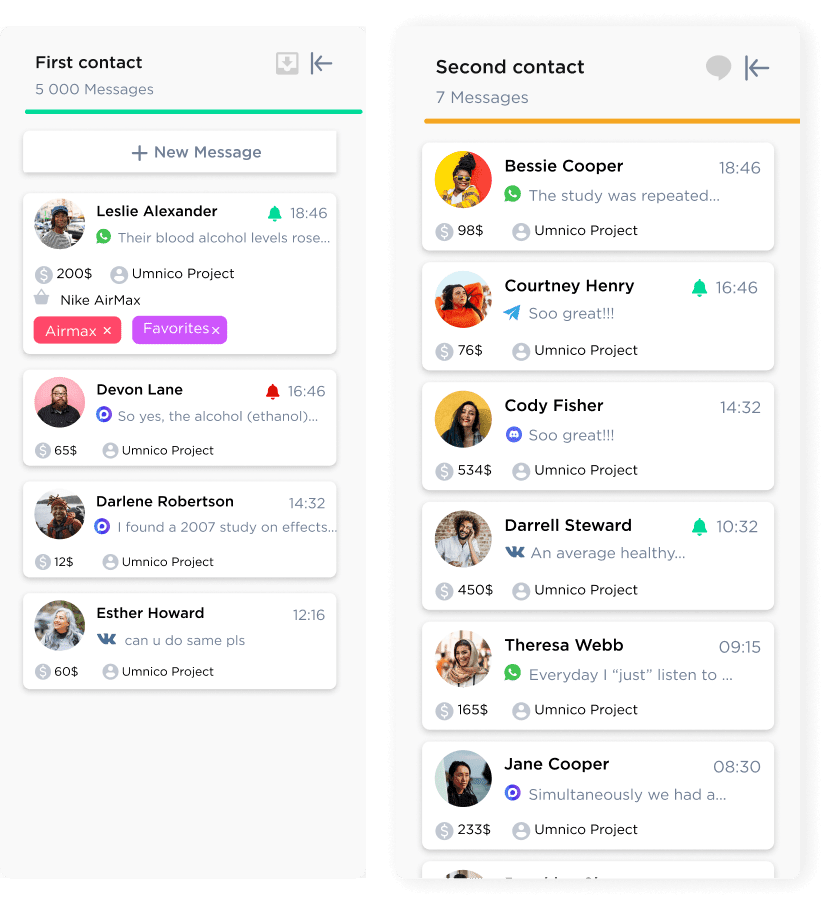
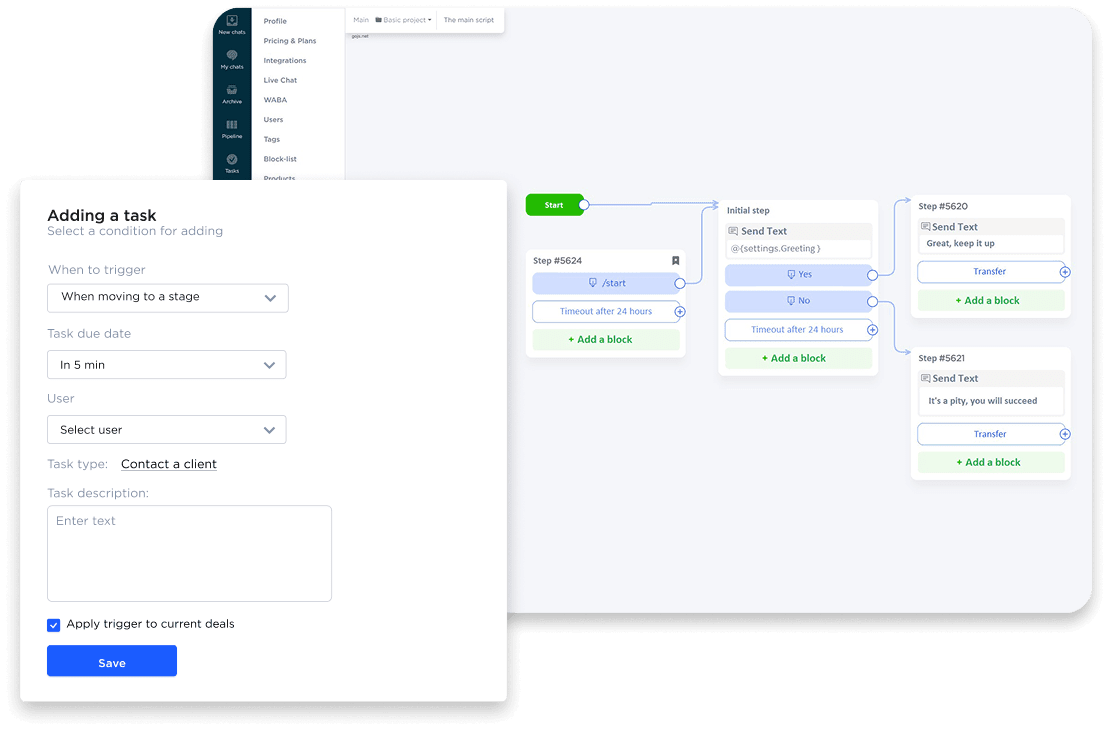
With the built-in virtual Kanban board, you can optimize sales and support for clients who respond to your messages. Define all the stages a client goes through from the initial contact to a repeat purchase, and build an efficient workflow.

Create tasks with deadlines in the calendar, assign responsibilities, and track progress at each stage of the deal. The digital funnel is easily adaptable to the needs of any business project.

chatbot automation

Chatbots and automation for lead qualification

Automate messaging using ready-made GPT-based chatbots. The bot can autonomously respond to common questions from recipients of mass texting, simulating live interaction with an operator, and also qualify each client according to your scenario.

Customizable trigger messages in Umnico allow you to send personalized notifications to interested clients through messengers, social networks, and other communication channels.

single window for all communications

Unified interface for all messenger communications

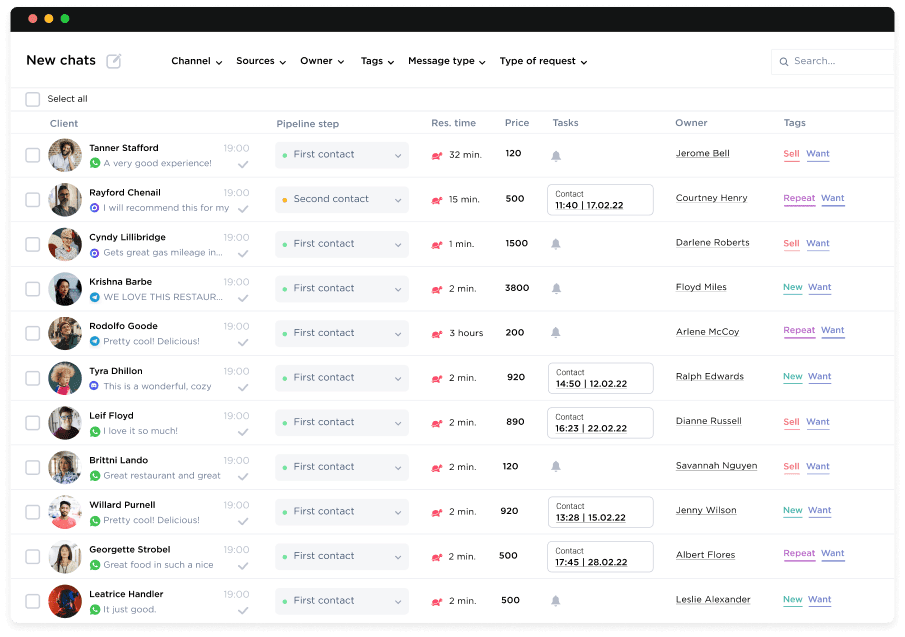
Umnico consolidates all calls and messages from your communication channels into a single convenient interface. Build your customer base, keep a history of conversations in messengers, handle inquiries, assign responsibilities, set tasks, track history, use hotkeys and templates, exchange files without traffic limits — all from one window!

The function for importing customer phone numbers from Excel or CSV files allows you to upload and segment any volume of data within minutes. New contacts can also be added manually.

Launch messaging campaigns to your WhatsApp and Telegram audience in minutes

The omnichannel communication platform Umnico allows you to start personalized message broadcasting campaigns in messengers within minutes without needing developers or IT specialists. After the campaign, Umnico helps convert leads from interested clients into sales with minimal iterations.

1
Build your customer database or the Bot audience
2
Register for free with Umnico
3
Connect the necessary communication channels
4
Upload your customer base and set the messaging schedule
qr code apple store
qr code google play
iphone 12 pro

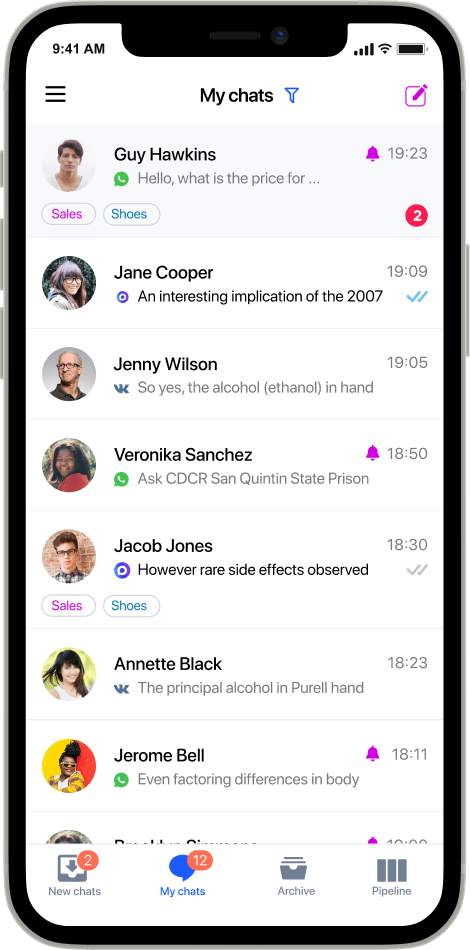
Manage messaging and communication from your smartphone

Umnico allows sales professionals and support staff to communicate with clients from anywhere, at any time. All you need is a smartphone. The Umnico mobile app consolidates several messengers and is available for all iOS and Android users. Manage company communications, handle requests on the go, and never miss an inquiry!

download from appstoredownload from google play

Additional features of Umnico for confidently managing your audience

The omnichannel platform Umnico not only helps you attract new audiences but also manage existing ones effectively.

queue icon
Phased Sending
Breaks in sending to minimize blocking
user add icon
Additional Users
Invite any number of operators
language icon
Support 5 Languages
English, German, Spanish and Portuguese
trigger icon
Triggers
Automation of message sending based on rules
window icon
Access Restrictions
Limit access for employees to messages and chats
group icon
Group Chats
Group discussions with clients in messengers
search icon
Quick Search
Search information across all messages and customer cards
filter icon
Message Filters
Block unwanted messages and contacts
message icon
CRM Integration
Special solutions for use with Bitrix24 and amoCRM
tag icon
Tags
Automatic and manual tagging of important messages
autotransition icon
Auto-Distribution
Settings for distributing requests among chatbots and operators
security icon
Database Security
Protection and security of client information and correspondence

... and many more features for confidently growing your business performance.

two laptops

Cost of messaging in messengers

A dedicated team of Umnico experts is ready to assist with the setup and launch of your first messaging campaign in WhatsApp or Telegram using your contact database, ensuring a smooth start with the service.

Message broadcasting functionality is available to all Umnico users for free.

To conduct messaging campaigns in messengers, a subscription to the Umnico professional plan is required. The cost of this plan depends on the number of connected channels, the duration of use, and the number of employees/operators. Sending messages via the WhatsApp Business API requires the purchase of an additional set of conversations.

Questions and answers about messaging through WhatsApp and Telegram

Do you have questions about Umnico’s features—our messenger marketing service? New users commonly ask us the following questions:
Which messenger to choose for messaging?
The choice of messenger for your campaign depends on your target audience. WhatsApp is more popular in developing economy countriues. Younger people tend to prefer Discord, whereas those over 40 favor WhatsApp.

WhatsApp remains the most popular messenger globally and one of the most effective channels for mobile marketing. The conversion rate from ads in WhatsApp is the highest (around 20% with an open rate of over 90%).

Bulk messaging in messengers is still gaining momentum and remains highly effective.
How to avoid being blocked and losing your account?
Umnico uses proven mechanisms for integration with messengers .An account blocking is minimized but still possible.

Umnico sends out bulk messages via WhatsApp using the official solution (WhatsApp Business API), which has several distinct advantages over the alternative, unofficial channel, WhatsApp Web.
How to send messages to real numbers only?
Before launching your campaigns in WhatsApp Broadcast Sender and Telegram Broadcast Sender, check the subscriber list to ensure the messenger is installed on their smartphones.
Can I track how many people receive my messages?
Yes, you can track the number of sent and delivered messages. After each campaign, a report with this information is automatically generated.
What is the maximum message size I can send via WhatsApp?
WhatsApp allows sending messages up to 4,096 characters long and images up to 2 MB. This is sufficient to capture the recipient's attention and receive a quick response from the audience. Additionally, you can add quick reply buttons and links to your website in WhatsApp Business API message templates.
Can I add photos and links to advertising messages?
In WhatsApp and Telegram messages, you can use images, videos, and add unlimited links to any websites, social media pages, or landing pages.

To save characters in a message, you can use shortened links by utilizing a free URL shortening service.
Can I grant access to the personal account to another person?
Yes, in the personal account settings, you can add new users/operators and set their access levels. They will be able to create and manage campaigns as well as engage in dialogues with clients through connected communication channels.
How can I evaluate the effectiveness of my campaigns?
Email campaign effectiveness is typically measured by delivery and open rates, but these are superficial metrics that don't reflect the true business value. A better approach is to use links with UTM parameters (e.g., utm_campaign). This way, you can track not just the receipt of a message, but also specific actions: website clicks, user behavior, and target conversions.
What is the difference between WhatsApp Web and WhatsApp Business API?
WhatsApp is a messaging app for communication through a phone application. It is suitable for small companies and campaigns targeting a small number of recipients. WhatsApp Business API is an official and professional solution for businesses. It supports an unlimited number of users per number and allows sending a plethora of messages at a time. WhatsApp Business API offers advanced automation messaging capabilities and detailed message statistics, but requires company validation and message (template) moderation.
What are the reasons for WhatsApp Business account suspension?
Common reasons for blocking are:
- Spam complaints from users. As a rule, 3 complaints are enough to suspend an account.
- Work from a newly registered WhatsApp number. Umnico recommends that you start working with numbers that have been registered in WhatsApp for a long tim.
- Bulk messaging with more than 5-10 messages per minute or more than 2,000 messages per da.
- Links in messages increase the risks of suspensio.
- Working in WhatsApp on a device that had previous account lock.
- No incoming messages. The more messages you receive, the lower the risk of account suspensio.
- Sending the same message to all users. Use personalization, set up automatic substitution of the recipient's name in the message text.
What should I do if my WhatsApp account is suspended?
If your WhatsApp account is suspended, contact WhatsApp support directly to learn more about the reason for suspension and the possibility to remove it. Upon successfully unblocking a number or account, it is critical to avoid an immediate resumption of mass messaging. We recommend returning to broadcasting in phases, gradually scaling up your volume. Conduct a database audit beforehand and remove irrelevant contacts; this will minimize the risk of repeated complaints and help safeguard your WhatsApp account's reputation.
Our articles on messaging and messenger marketing
What it is and how to leverage it properly
Check how to leverage text-based communication strategy with a greater return.
Learn how to sell using WhatsApp to boost your store’s performance and attract new customers
Send the right message to the right person through the right channel with Umnico
Sign up